Ship client websites in half the time.
Production-ready sections for the Etch builder. Rename every class to your client's naming in one step, then insert it straight from Etch.
- Free while in beta
- No credit card
- Built for Automatic.css v4

- Etch
- WordPress
- Automatic.css v4
- BEM naming
- Container queries
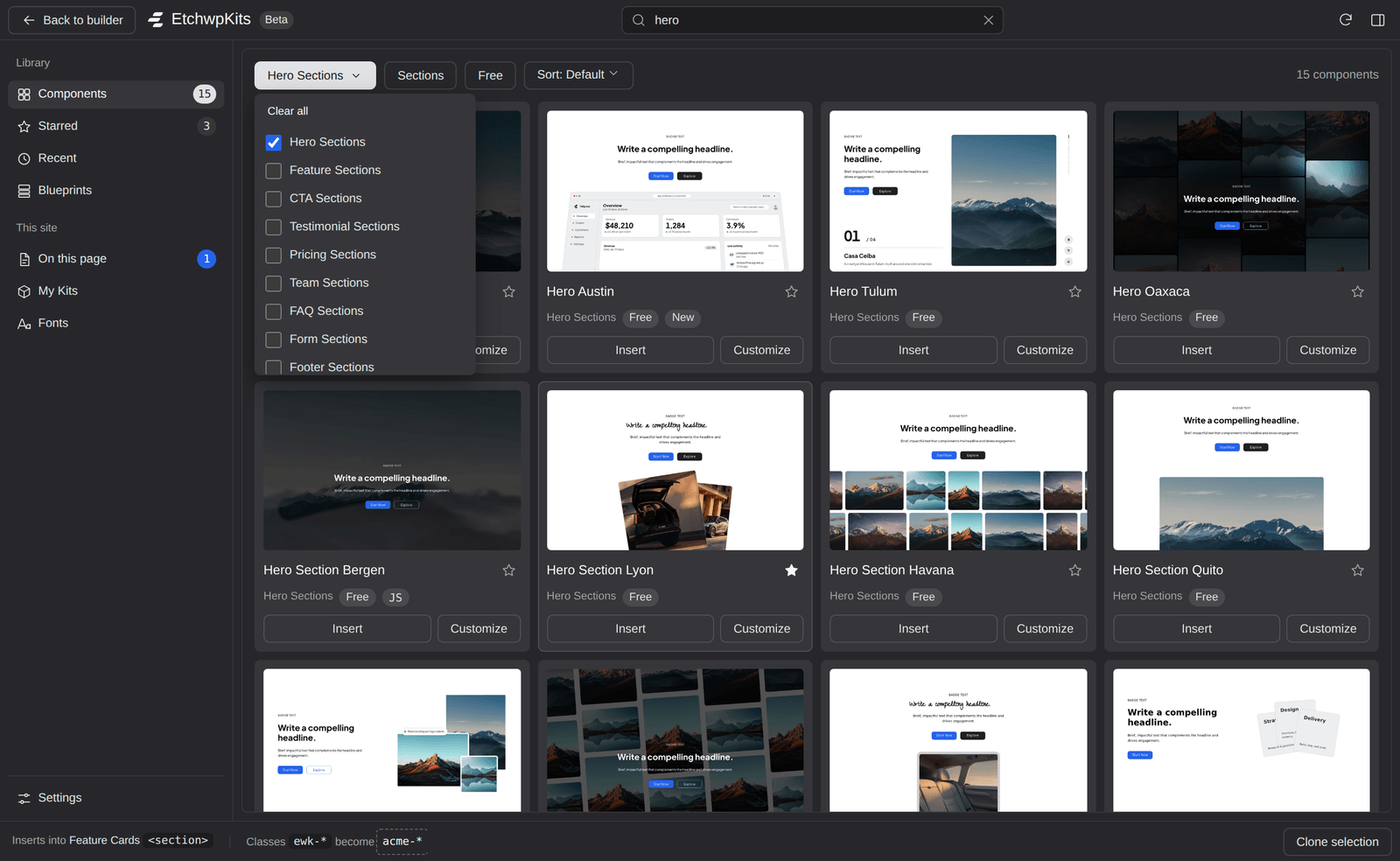
From library to live page in three steps.
Choose a section
Heroes, features, galleries, pricing, FAQs and more, each one a complete section.
Rename once
Every class, modifier and ARIA reference follows your client's naming.
.feature.acme-hero.feature__title.acme-hero__title.feature__grid.acme-hero__grid.feature--boxed.acme-hero--boxed
Insert into Etch
One click from the panel inside Etch, or paste it in. Cmd+Z undoes it.
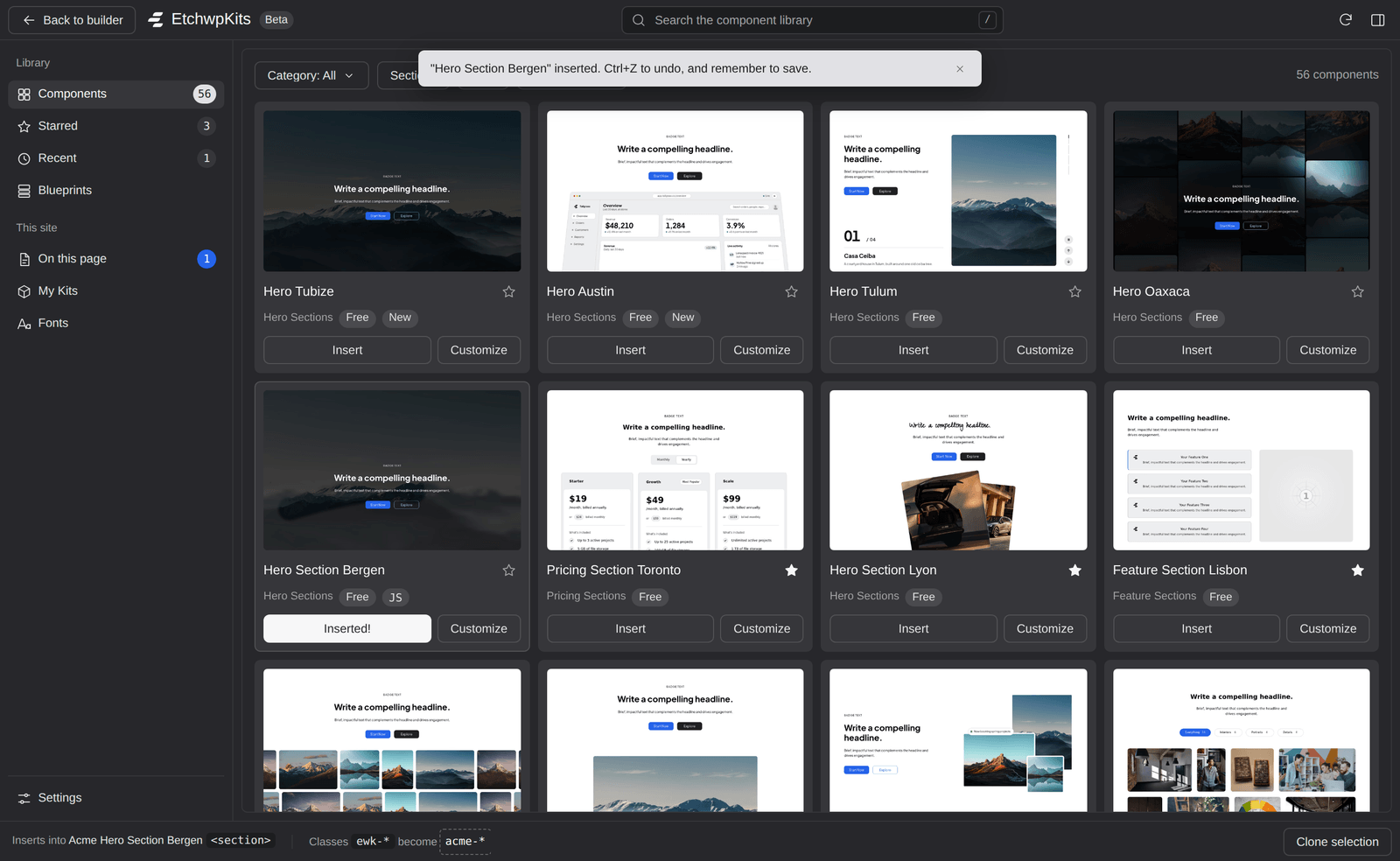


Everything you need, without leaving the canvas.
Our WordPress plugin puts the whole library inside the Etch builder. Connect your site once, then browse, insert, rename and clone sections without leaving the canvas.
Free during early access. WordPress 6.5+ and the Etch builder.
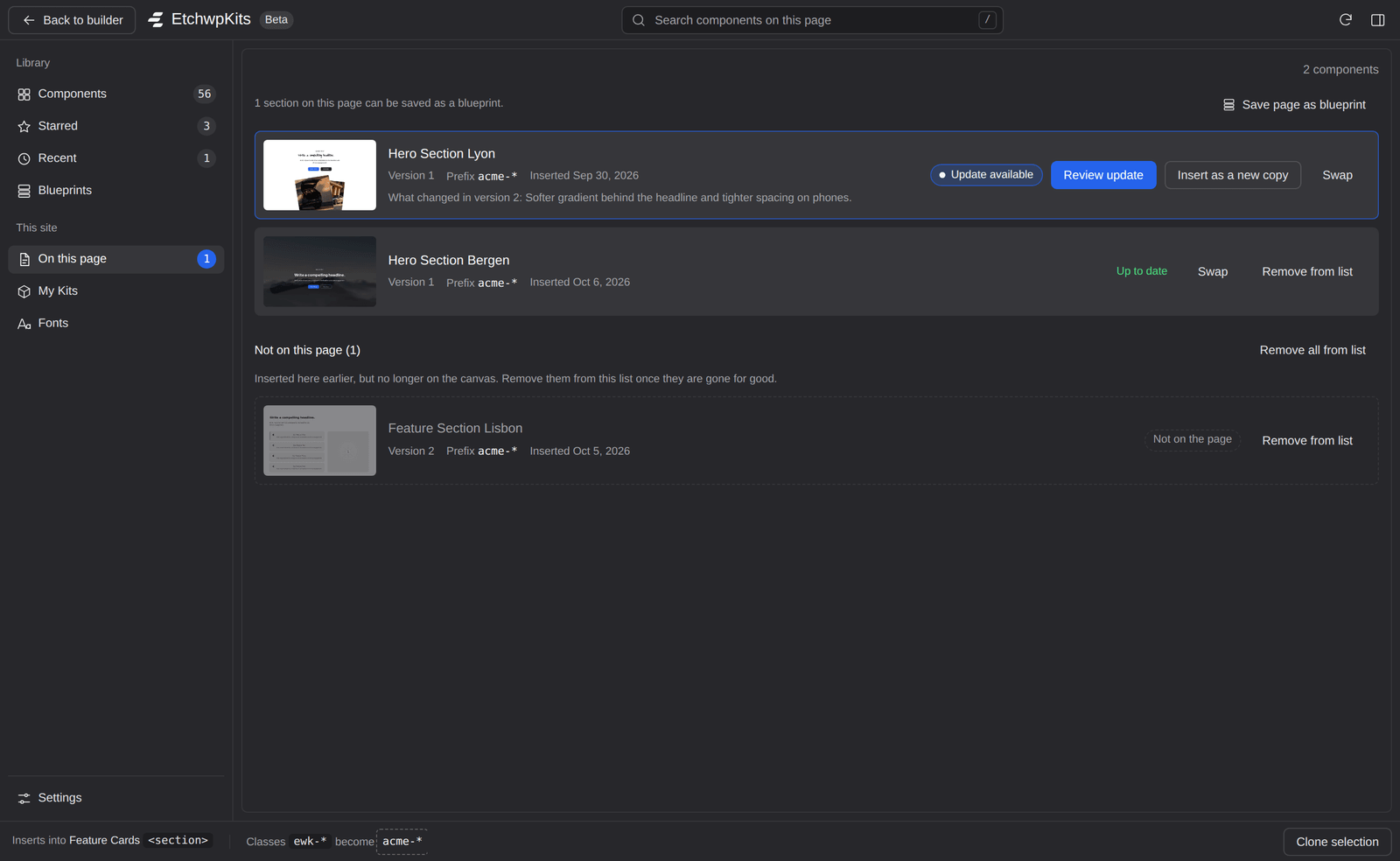
Review updates, change by change
See which components you used on a page and which have a new version. Take the changes you want and keep the edits you made.
Your class prefix
Set it once per site. Every insert arrives renamed and ready to hand over.
- .acme-hero
- .acme-hero__title
- .acme-hero__actions
Container queries
Sections answer to the space they get, so they fit a sidebar, a column or full width.
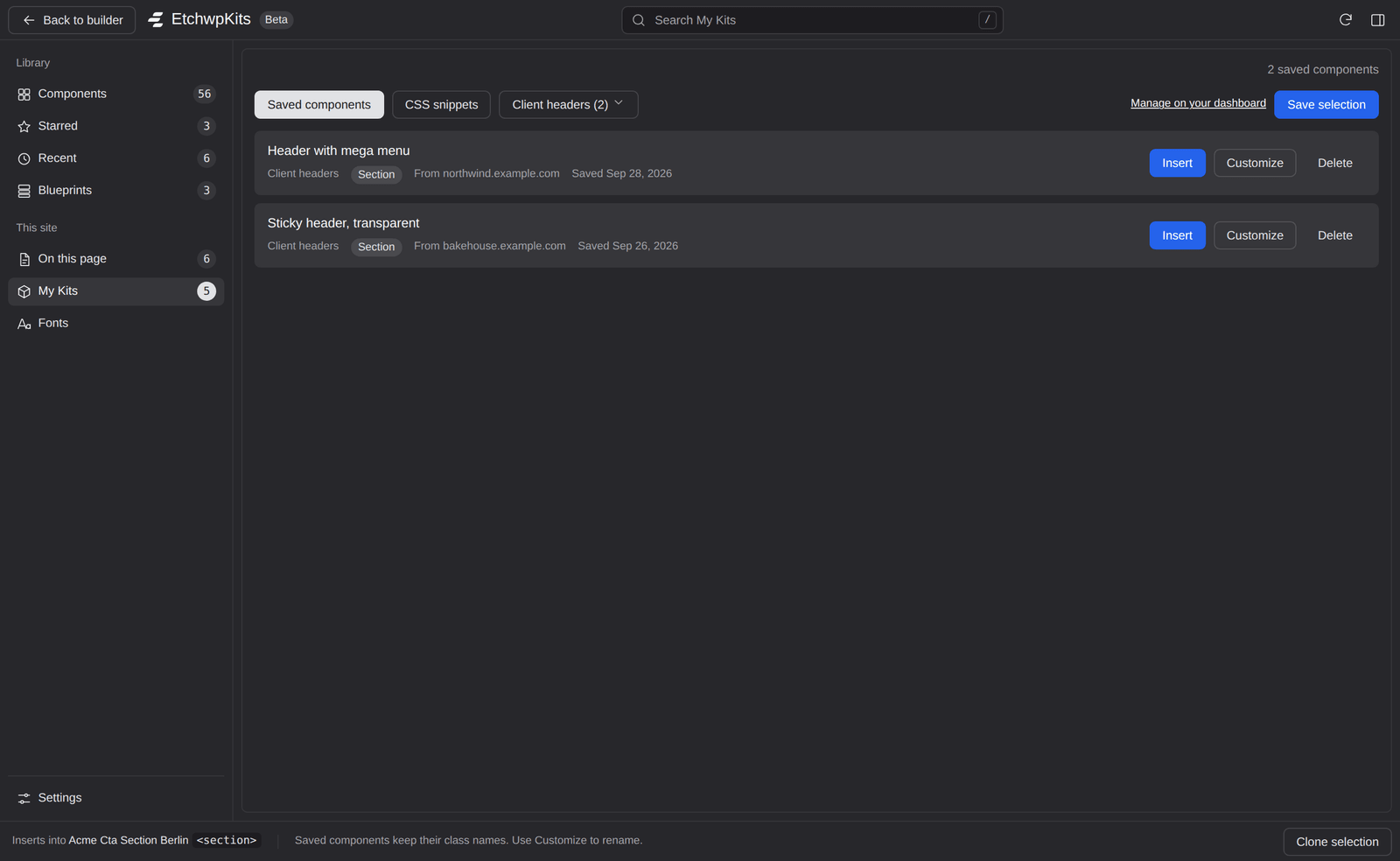
My Kits on every site
Save your own blocks and CSS snippets once, insert them on any site you connect.
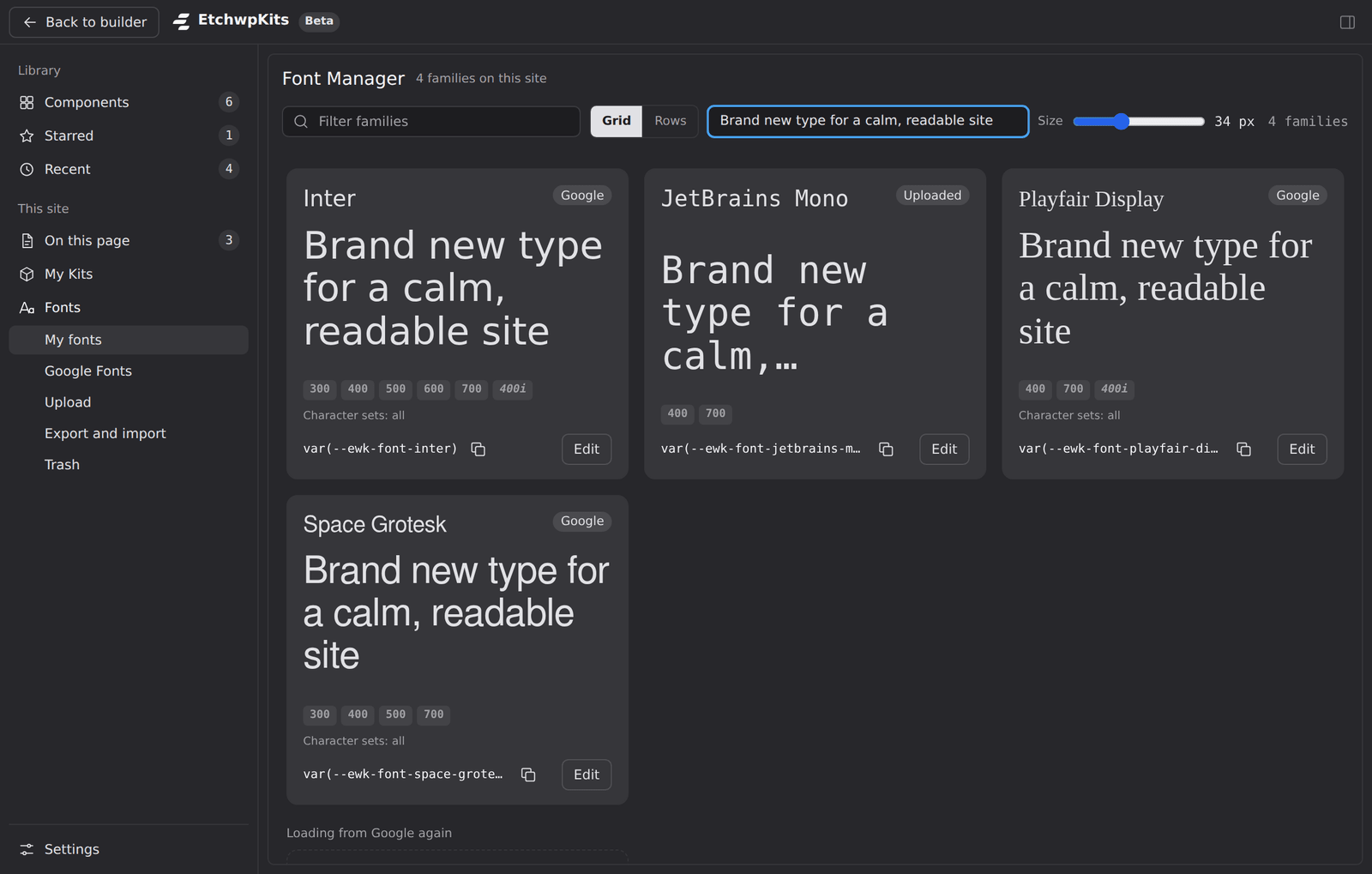
A Font Manager inside Etch
Google Fonts served from your own site, matched fallbacks, and site-wide heading and body fonts.


The sections every client site needs.
Each one is a complete, responsive section with semantic HTML and readable BEM classes. Named after cities, so you can tell Helsinki from Stockholm at a glance.
Code you would sign off on.
Container queries instead of breakpoints
Each section responds to the space it is given, so it fits a sidebar, a column or full width without re-breaking at 768 or 1440.
BEM you can read
Predictable block, element and modifier names that survive a hand-off to another developer.
Automatic.css ready
Spacing, type and color come from ACSS v4 variables, so sections follow your settings.
Semantic and accessible
Real landmarks, headings in order and labelled sections by default.
.services {
  container-type: inline-size;
  padding-block: var(--section-space-m);
}
.services__grid {
  display: grid;
  gap: var(--space-m);
}
/* reads its container, not the viewport */
@container (min-width: 40rem) {
  .services__grid {
    grid-template-columns: repeat(3, 1fr);
  }
}
.services__card--featured {
  background: var(--primary-ultra-light);
}
Free while in beta.
Every section and every plugin tool is free during the beta. After that, one simple yearly plan.
Free
$0
- Free sections
- Copy and paste into Etch
- Live preview of every section
Pro
$0 during the beta
- Every section, Free and Pro
- Insert from inside Etch, renamed to your prefix
- My Kits, Font Manager and update review
Yes. The sections are built for the Etch builder on WordPress. Paste them into Etch as JSON, or insert them with the Companion plugin.
Start shipping today.
Pick a section, rename it for your client and have it live on their site before lunch.
Free while in beta. No credit card.