Set up your blog with EtchwpKits
EtchwpKits has two kinds of blog components. A single post template lays out one post. A blog list shows your posts on your Blog page, and with three small changes the same list becomes a category archive. This page sets up both.
- Single post templates, such as Blog Arezzo and Blog Cagliari: the post's title, date, featured image and content, filled in by WordPress for every post. They go in Etch's Single Post template.
- Blog lists, such as Blog Nimes, Blog Trento and Blog Ferrara: an intro, the newest posts and page links. A list is a section for your Blog page. The same list turns into a category archive in three steps, see Category archives.
Create the page
In WordPress, create an ordinary page, for example Blog, and open it in Etch.
Paste the list
Paste the blog list on it like any other section. It lists your newest published posts right away.
Write the intro
Click the intro once and type your own Headline and Description in its properties panel. Its heading is an h1, because it heads the page.
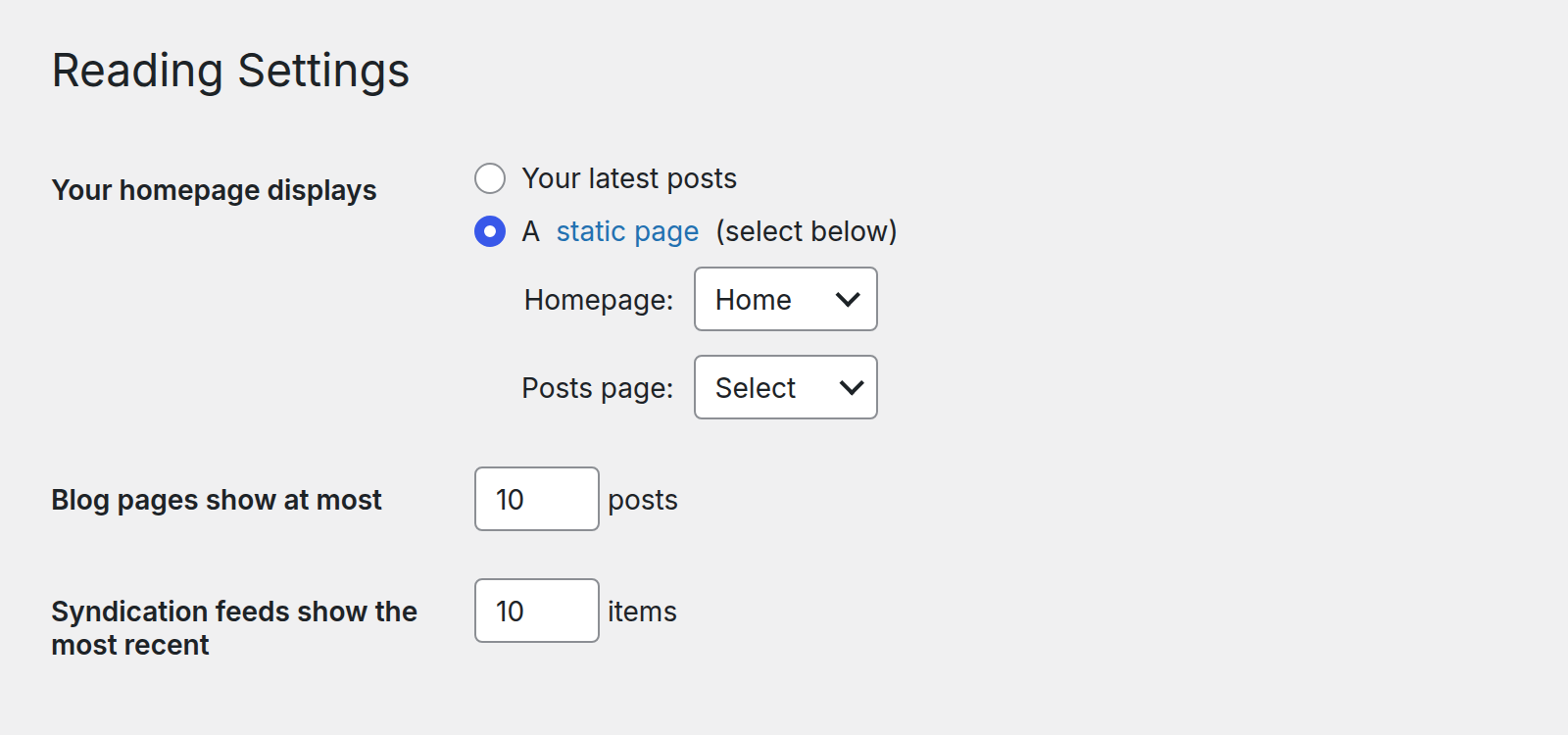
Two WordPress settings under Settings → Reading matter for your blog:
- Posts page: leave it unselected (Select). A page chosen there is no longer shown by Etch: WordPress shows it with your index template instead, and your list is gone.
- Blog pages show at most: how many posts a category archive shows per page. Your Blog page has a number of its own, but an archive must use this one. Note it down.
On your Blog page the list decides for itself how many posts a page shows. Select its loop in the structure panel, for example Blog List Trento under Posts, and look at the first line in the HTML editor:
{#loop blogListTrento($count: 9) as item}Change the 9 to the number you want and save. The page links follow. Keep the dollar sign: Etch only passes $count to the loop.
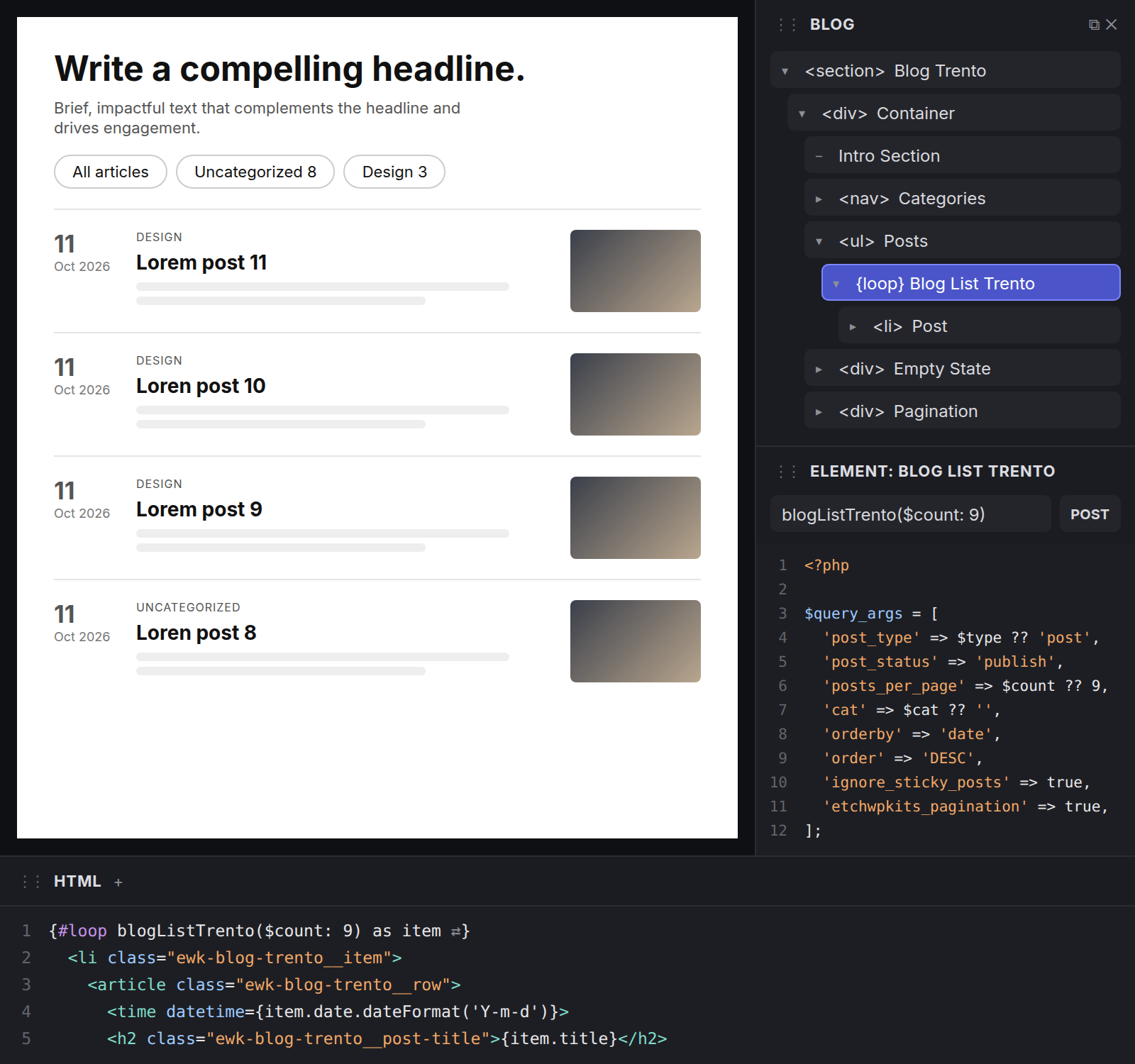
The page links come from the pagination block of the EtchwpKits Companion plugin, which sits after the list. With the plugin active, page two of your Blog page is at /blog/page/2/. Without it the list still works and shows its first page, only the links are missing.
The loop carries the argument etchwpkits_pagination, which tells the plugin to page it. Keep it, and use one paged list per page.
Open the Single Post template
In Etch's template manager, edit the Single Post template. When Etch asks, start it from the catch-all (index) template, so it brings your header, the
mainelement and your footer.Paste the template
Delete the post content inside
mainand paste the template there, between the header and the footer.Check a post
Save and open any post on your site to see it filled in.
At the end of every post, Previous article and Next article link the posts published just before and after it, from every category, so a reader can walk the whole blog from any post. The newest post shows only the previous link and the oldest only the next.
The templates have no lead under the title: when a post has no written excerpt, Etch makes one from the opening of the post, which would repeat it right above the body. Are your posts a post type of your own, such as blog? Use that post type's Single template instead.
Want /category/design/ to list only your Design posts? The same blog list does it with three changes in Etch. See Turn a blog list into a category archive.