Automatic links for words you choose
Choose words, and the page they should lead to, and they become links wherever your pages write them. Links between your own pages help visitors and search engines find them, and you never have to add them by hand.
The first time a page shows the words, they become a link. Never:
- in a heading, a button, code or a link already there,
- on the page they link to, or on a page that links there already,
- more than the limit for each page.
The page itself is never changed: the links are added as it is shown, so a rule you remove takes its links away at once. A page of your site is followed when its address changes.
EtchwpKits → SEO → Links → Words that link lists the rules, 20 a page, with a switch for all of them at the top, Automatic links. Before plugin 0.79.0 they had a tab of their own, Automatic links.
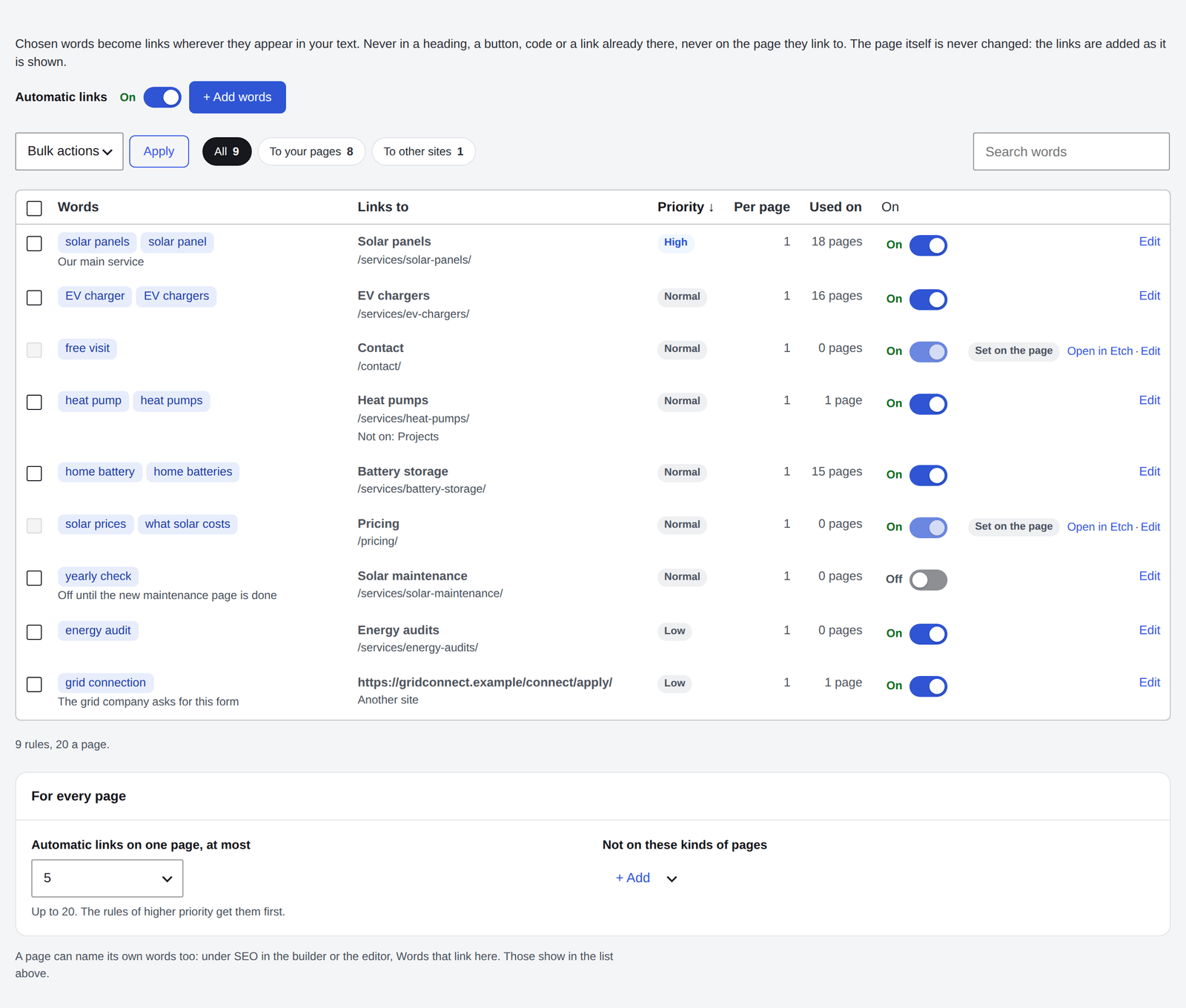
- Each rule shows its words, its note, the page it links to, its priority, how many times per page, how many pages use it, and whether it is on.
- Search words finds a rule by its words, address, page or note. The filters show the rules that lead To your pages or To other sites, and every column sorts.
- Tick rules and choose Delete under Bulk actions to remove several at once.
- A rule's switch turns it off without deleting it.
- Rows marked Set on the page are a page's own Words that link here, changed on that page.
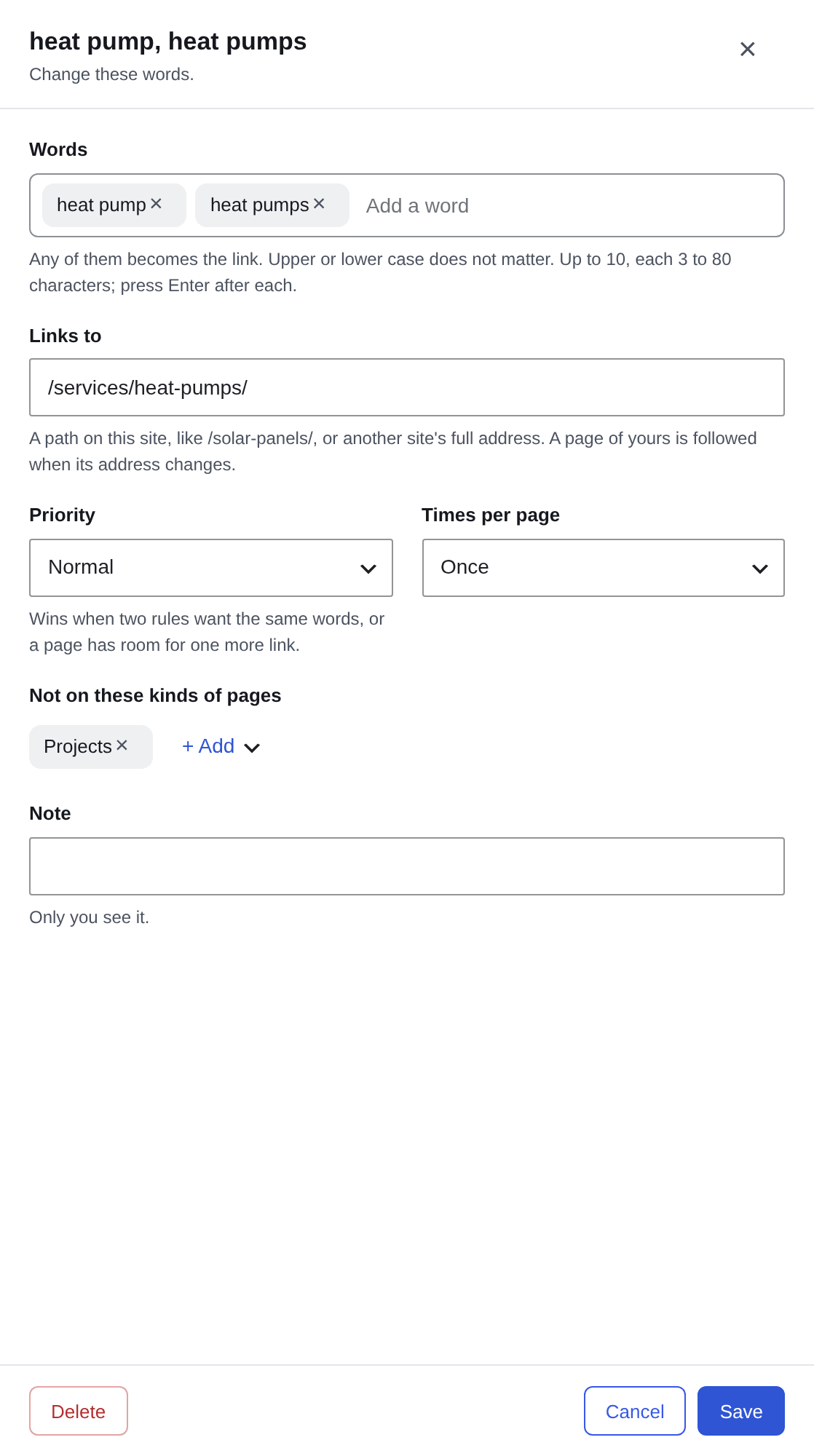
Add words, or Edit on a rule, opens it in a panel at the side, one at a time.
| Field | What it does |
|---|---|
| Words | Any of them becomes the link, whatever the case. Up to 10, each 3 to 80 characters; press Enter after each. The same words can be in one rule only. |
| Links to | A path on this site, like /services/heat-pumps/, or another site's full address. |
| Priority | High, Normal or Low. See below. |
| Times per page | How often the words can become a link on one page. |
| Not on these kinds of pages | Kinds of pages the rule leaves alone, like Projects. |
| Note | Why the rule is there. Only you see it. |
When two rules want the same words, or a page has room for one more link, the rule with the higher priority wins. Between rules of the same priority, the longest words win. Give your main pages High, and links to other sites Low.
Under the list, For every page sets:
- Automatic links on one page, at most: up to 20. The rules of higher priority get them first.
- Not on these kinds of pages: kinds no rule touches.
A page can name its own words: wherever your other pages write them, they link to that page. Set them under Words that link here, in the Links row under Edit, in the builder's SEO place or the block editor's SEO box, split by commas.
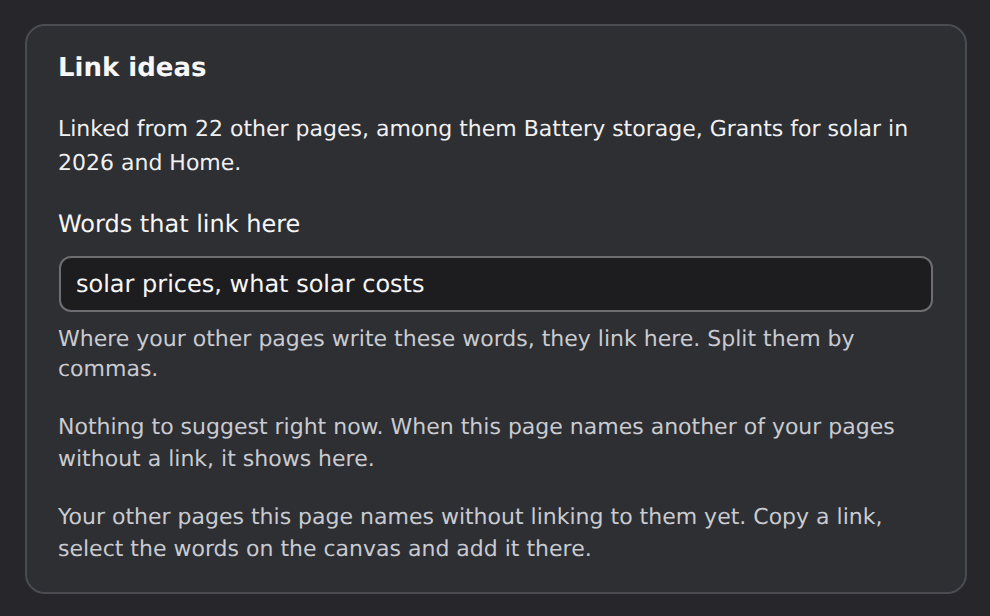
They show among the automatic links, marked Set on the page, and the page is told which of its words a rule already has. A draft, or a page in the trash, never takes words from a published page: its words start to link once it is published.
- The link report counts the automatic links too, and marks them.
- Switch every rule off at once with the switch at the top, or under Parts of SEO. Words set on a page while it is off take effect as soon as it is on again.
- AI agents can read and set a page's Words that link here.
- Deleting the plugin removes the rules and every page's words with the rest of SEO.