Links: the report, the site map and broken links
Every link on your pages, checked for you. See how your pages link to each other on a map of the site, find the broken links and the pages nothing links to, and change an address everywhere it is linked at once.
A page's links are read again when it is saved, and checked in the background, a few at a time: every 14 days, and a broken one every 3 days. Links to other sites are asked from your server with nothing but their address.
Links are counted from where a visitor finds them: each page's own text, and also the menus your theme shows, the templates your pages are built with and custom fields that hold a link. See Menus, templates and fields.
Everything is under EtchwpKits → SEO → Links. A row of numbers on top says how many links the site has, how many are broken, the pages nothing links to and the words that link themselves. Under it, a row of views: Map, where Links opens, Report, Broken and Nothing links here (each with how many), Words that link (see Automatic links), Change an address and Settings. Beside the title, Links says how many links wait for a check, or since when every link was checked, with Open the link map from the other views.
Some views had other names before plugin 0.82.0: Nothing links here was Not linked to, and Change an address was Change everywhere.
A visitor reaches most pages through the menu, not through a link in some page's text. So besides each page's text, links are counted from:
- Menus: the menus in your theme's menu locations, and the navigation inside your templates, like the header's.
- Templates: the block templates your pages are drawn with, Etch's too, with their template parts, components and navigation. Each template is also drawn once, so links that a loop or dynamic data fills in are counted as well.
- Custom fields: ACF link, URL and page link fields (in groups, repeaters and flexible content too) and Meta Box URL fields.
A link in a menu or a template is on every page that shows it, so on the map it counts from the first page that shows it. For a menu in the header, that is the home page: a page in the main menu is one click from home. A link in the template for single posts counts from the first post the map reaches.
Menus and templates are read again after you change a menu, a template, a template part, a navigation, a component, the menu locations or the theme. Each source has its own switch under Settings.
Report is an overview of small lists side by side, with how your links are doing on top.
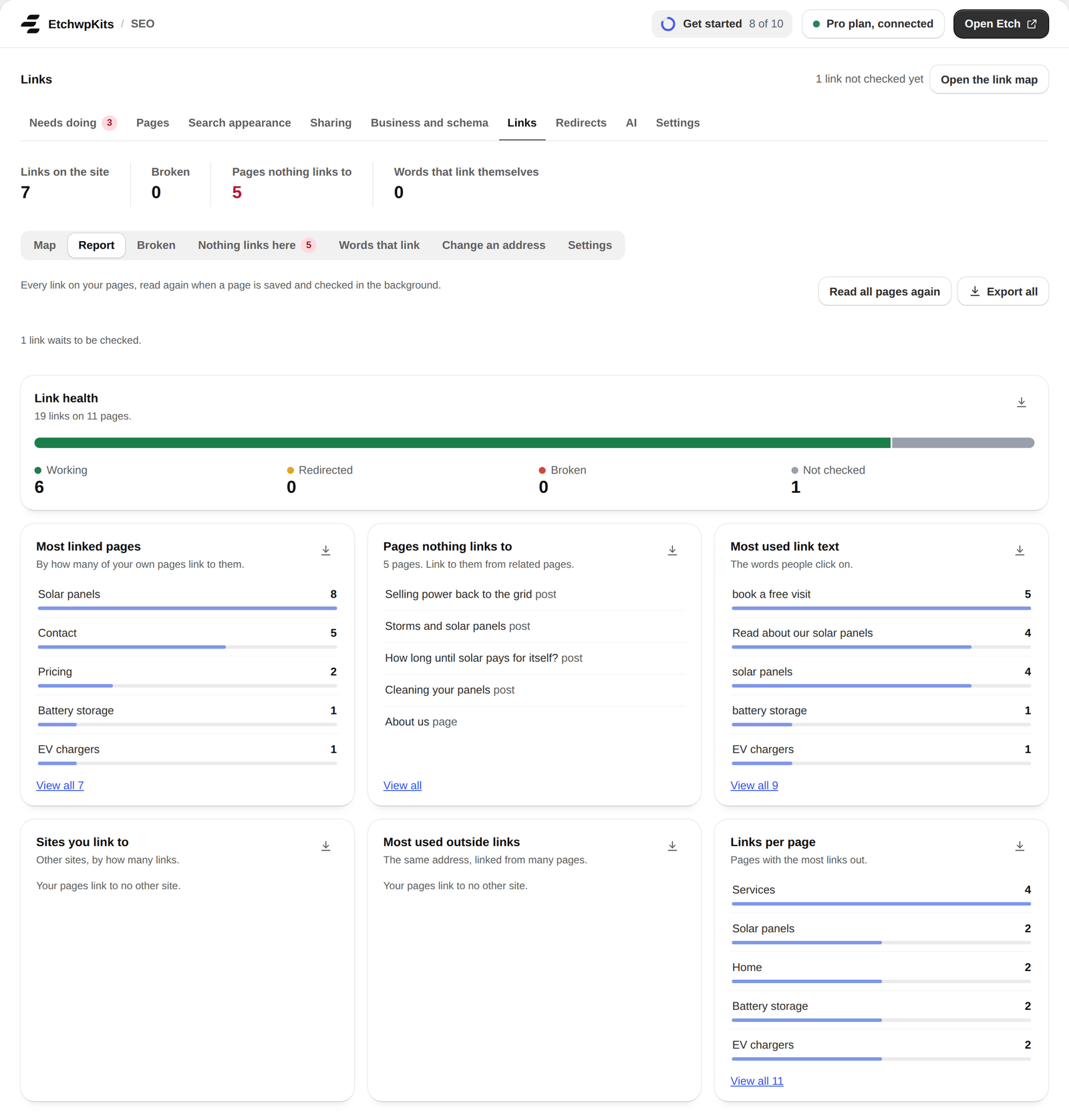
- Link health: how many links are working, redirected, broken or not checked yet, with a button to fix the broken ones.
- Most linked pages, Pages nothing links to, Most used link text, Sites you link to, Most used outside links and Links per page.
- View all opens a list in full, 50 rows a page. The download button beside each list saves it as a CSV file.
- A link text, a site or an address opens the links behind it, with the page each one is on.
- Export all saves every link on every page as one CSV file.
Each page has a report of its own. Open it from a page's name in the report, from the map, under Not linked to, or with Open the link report on the Links tab of the page's SEO box in the block editor.
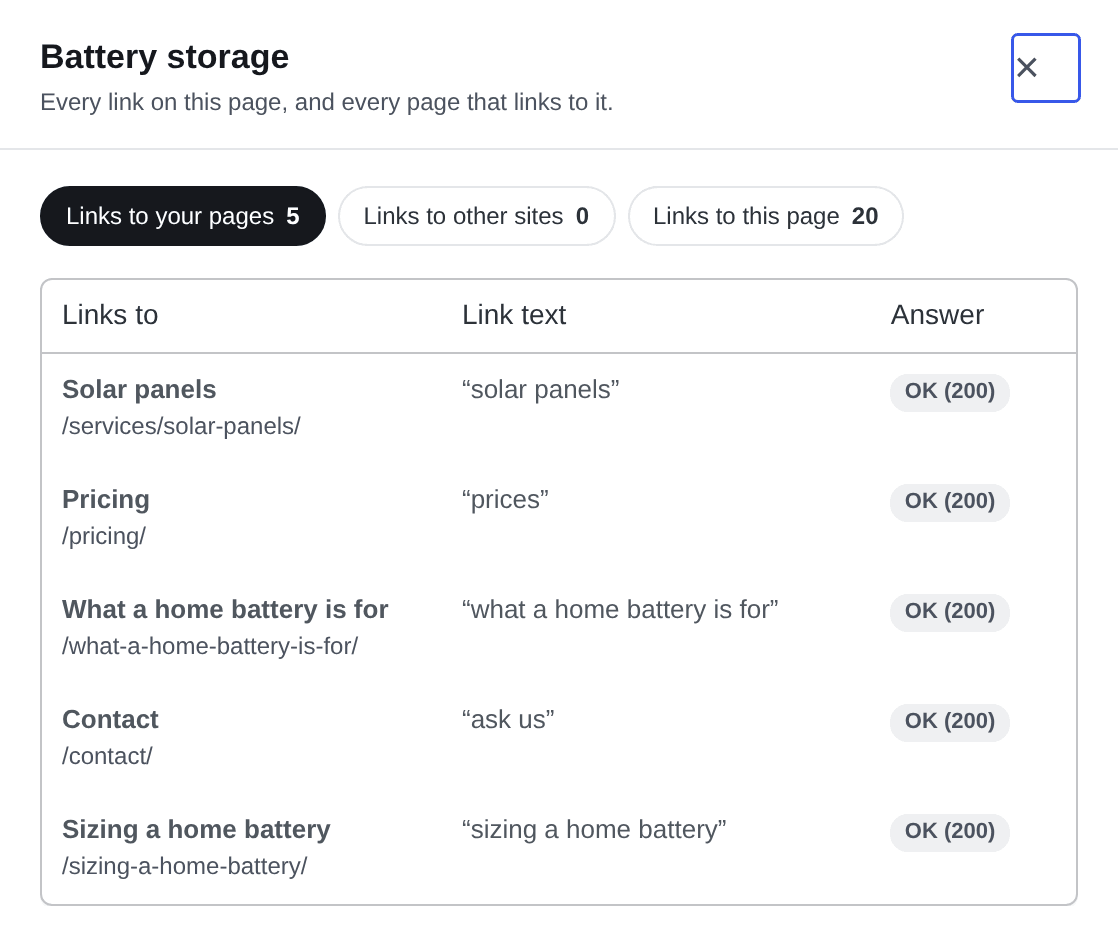
Links to this page also lists the pages that name it without a link yet, so you know where to add one.
Map shows how your pages link to each other, starting from the home page. The home page is on the left. The next column holds the pages it links to, 1 click from home, the next the pages those link to, 2 clicks from home, and so on. Each page sits in the column of its click depth: the fewest clicks it takes to reach it from the home page by following links. A line joins each page to the page it is reached from.
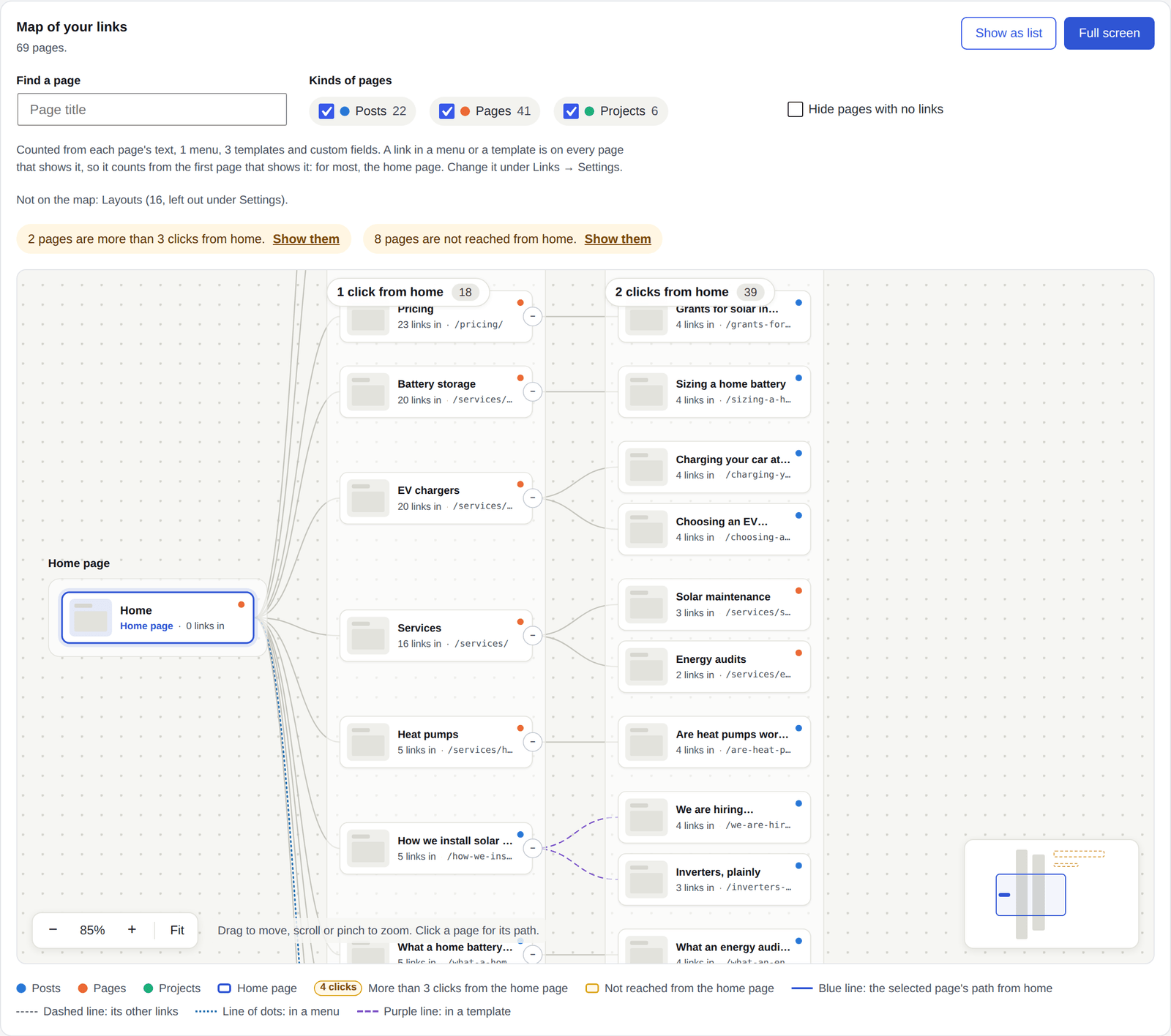
- Each card names the page, how many of your pages link to it and its address. The dot in its corner says its kind, as the legend under the map shows.
- Each column says how many pages are that many clicks from home. Its name stays at the top of the map while you move along a tall column.
- A page more than 3 clicks from the home page carries a note, like 4 clicks, and its column is tinted.
- The line over the map says what is worth a look: pages more than 3 clicks from home and pages not reached from home. Show them takes the map there.
- A line says where the link is: a plain line is in a page's text, a line of dots is in a menu, a purple line is in a template and an orange line is in a custom field. The legend under the map names the kinds the map has.
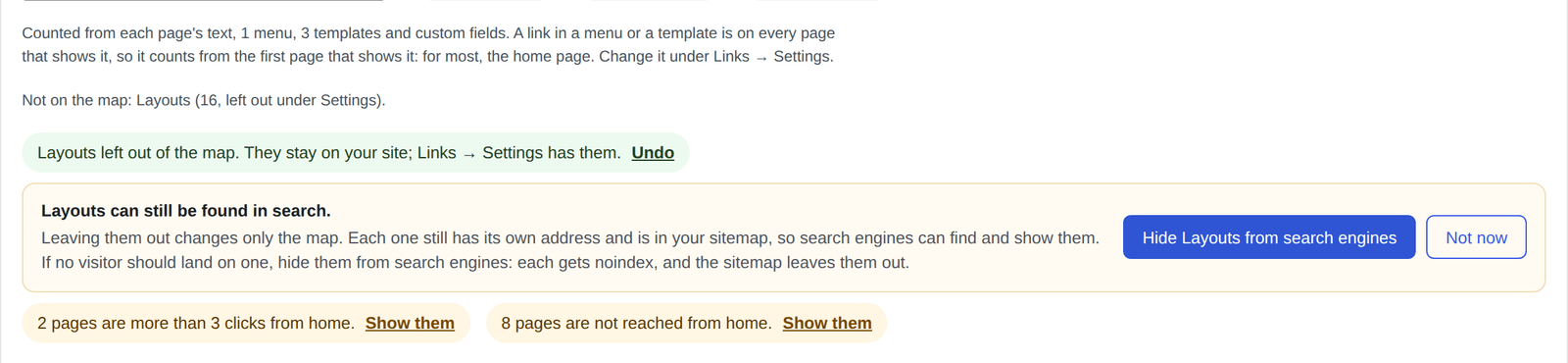
- The line over the map says what the links are counted from, like Counted from each page's text, 1 menu, 3 templates and custom fields.
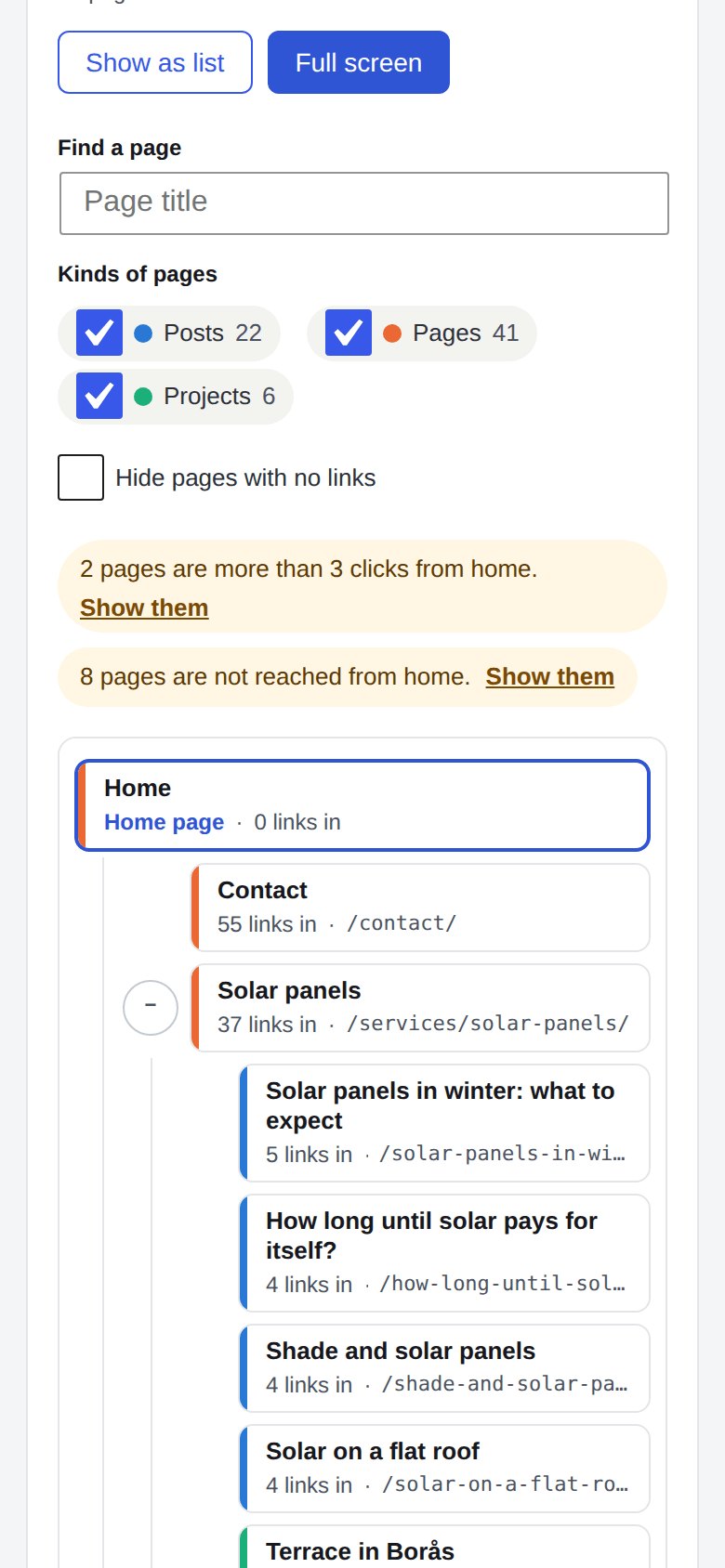
- Fold or unfold a branch with the round button beside a card. The map opens three clicks deep, and a page with many children shows the first 12 and a +N more card for the rest.
- Drag to move the map, scroll or pinch to zoom, or use +, − and Fit in the lower left, which also shows how far in you are. The small map in the lower right shows where you are on the whole site; click it to move there. Full screen gives the map the whole screen.
The map shows up to 500 pages, the most linked first, and says when some are left out. Click depths are worked out over every page of the site, so a page is never called unreached, or further away than it is, because a page on its way was left out. When the home page is not on the map, the map starts from the most linked page and says so.
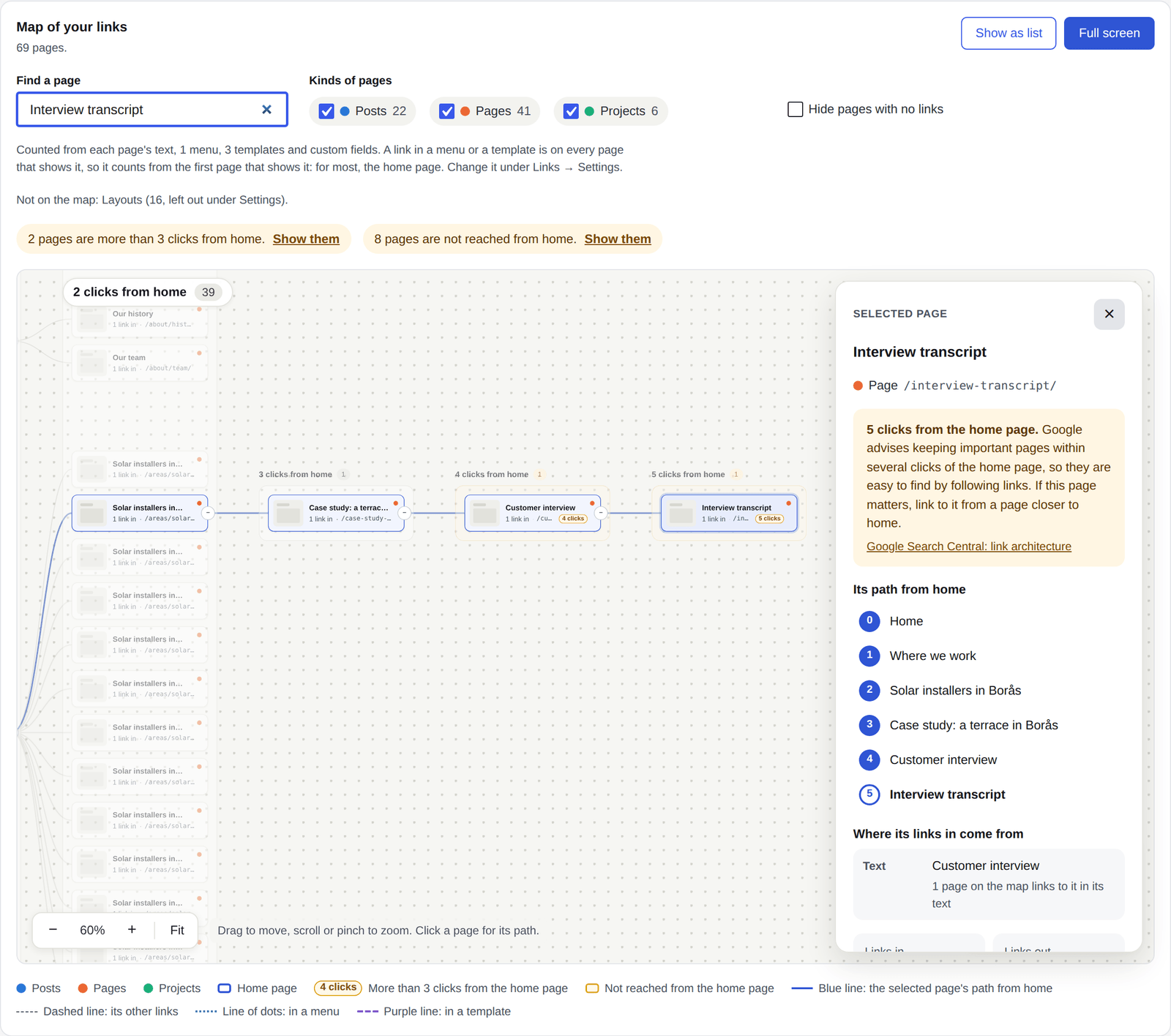
Click a page, or find it by its title, and its path from the home page lights up while the rest dims. The map moves so you see the whole path. The panel beside it has:
- The path step by step. Click a step to go to that page and see its own path. A step through a menu, a template or a custom field says so, like Through the menu Main menu.
- Where its links in come from: the menus and templates that show a link to it, the pages that link to it in their text, and those that link to it through a custom field.
- How many pages link to it and how many it links to.
- A tip with a link to where Google says so. A page many clicks from home gets Google's advice to keep important pages within several clicks of the home page. A page no path reaches gets Google's advice that every page you care about should have a link from at least one other page of your site.
- Open link report and Edit page.
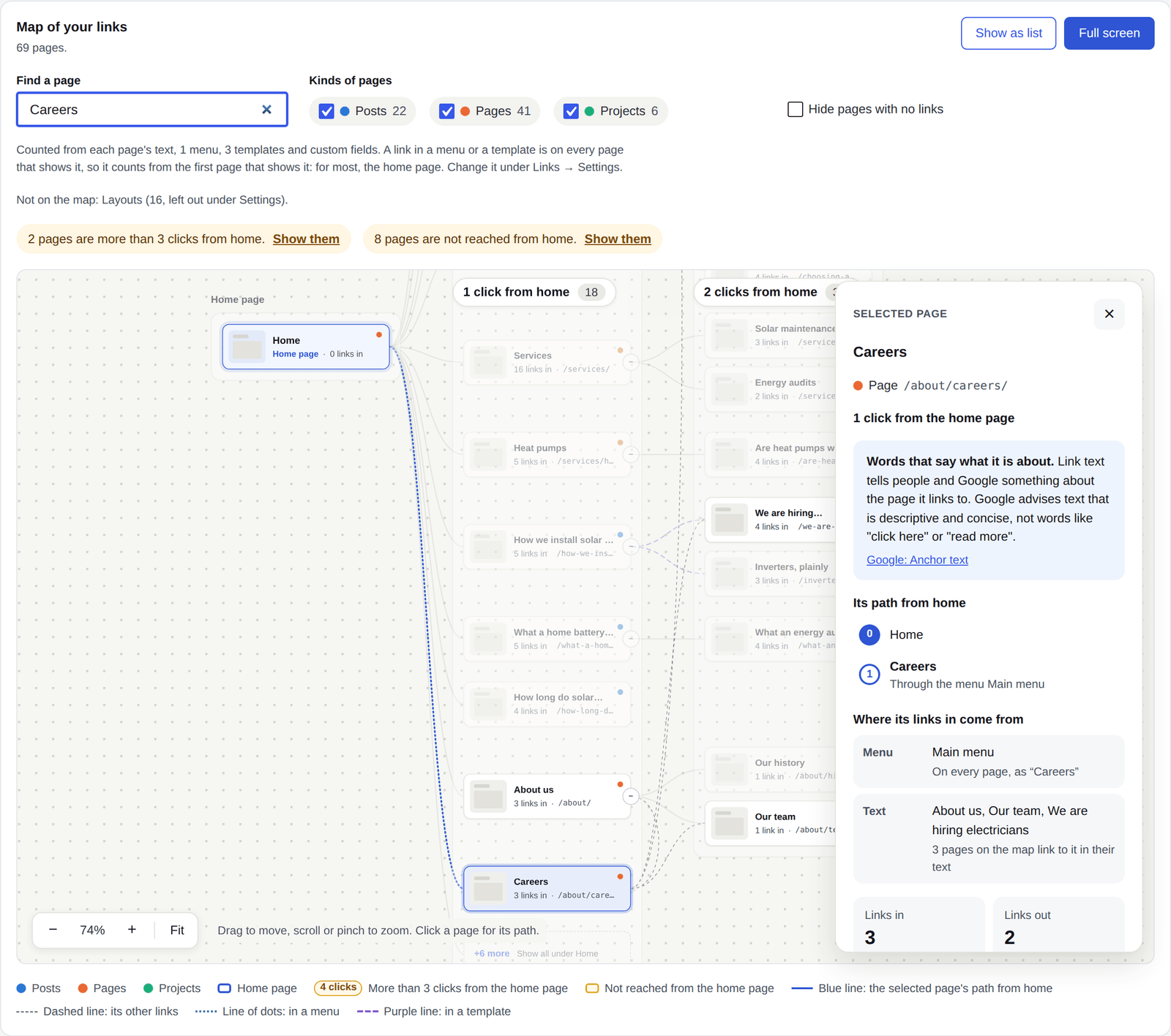
Careers is in the Main menu, so it is one click from home, and the line to it is a line of dots. Its panel names the menu first, then the pages that link to it in their text.
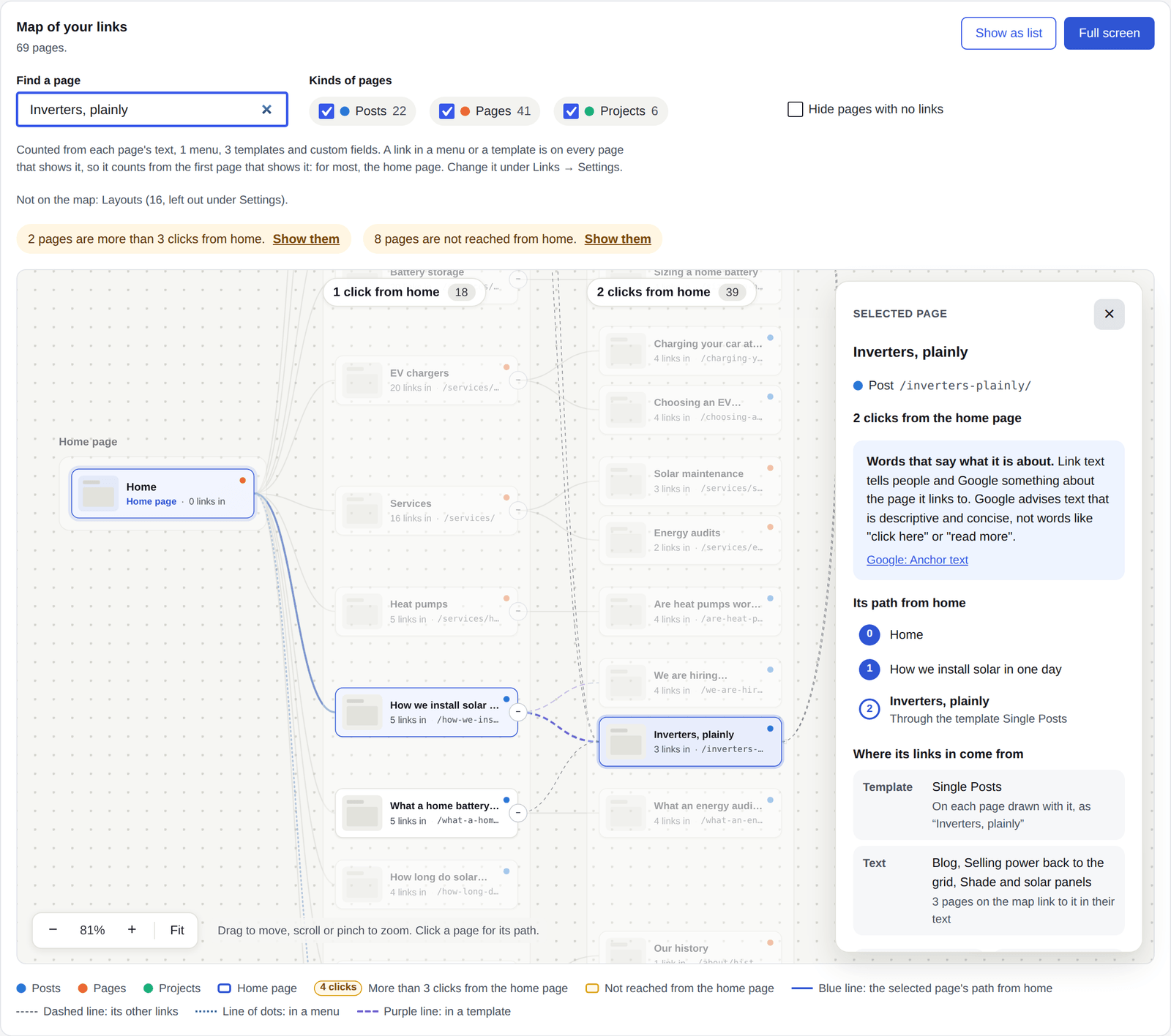
A post that the template for single posts links to is reached through the first post that shows it, and the step says which template.
The cross, Escape, a click on the background or a second click on the card lets go of the page.
Pages no path of links leads to from the home page sit right of the map, in a dashed frame for each kind of page, such as Pages not reached from the home page. Google finds most pages by following links, and advises that every page you care about has a link from at least one other page of your site. Link to each one from a page on the map.
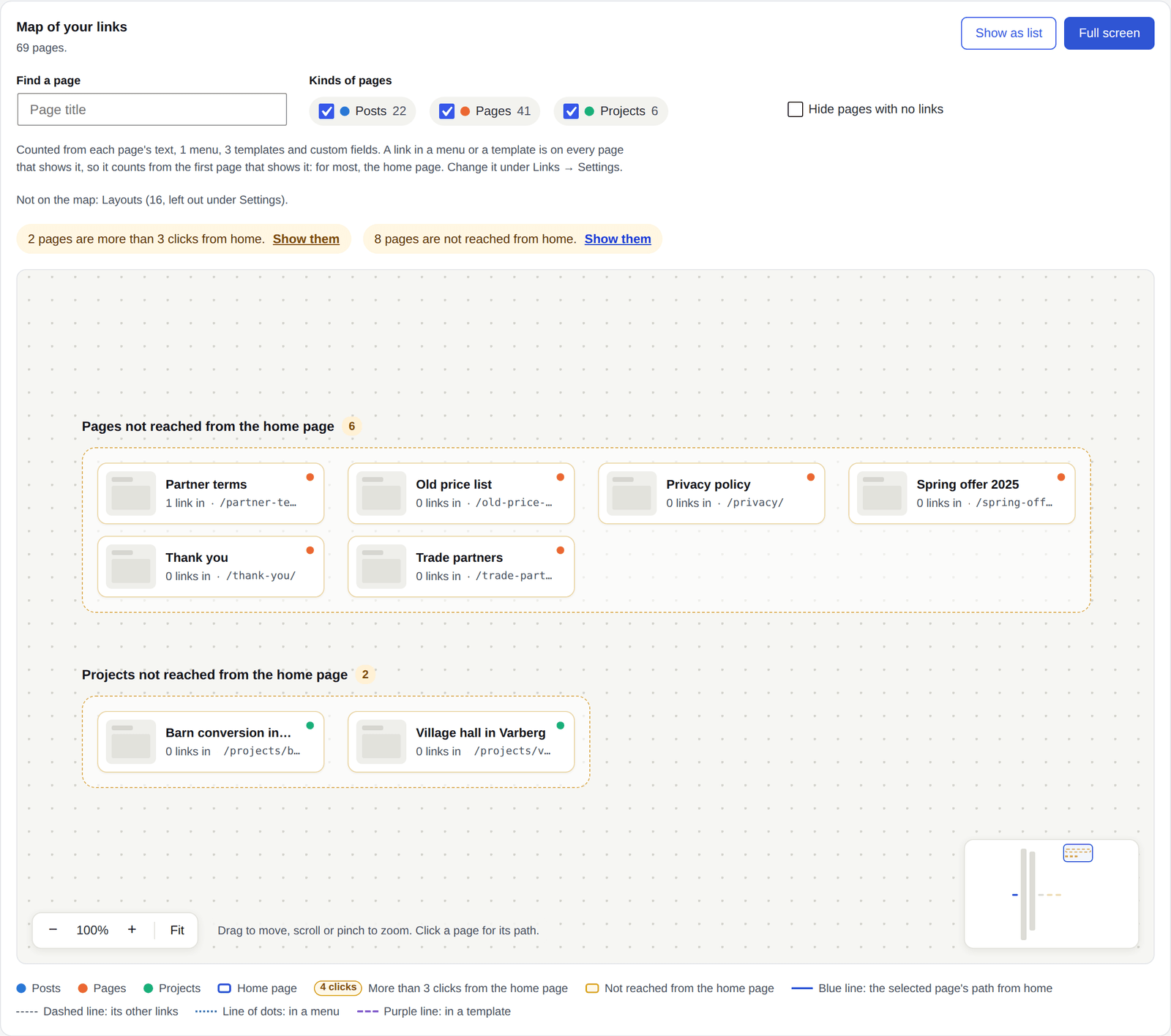
A group of more than 12 pages shows its first 11 and a +N more card that opens the rest, so one big kind of page does not bury the others. Finding a page in a folded group opens it.
Pages the home page reaches only through pages the filters leave out are listed under the map, under Reached through pages not shown, with their clicks from the home page.
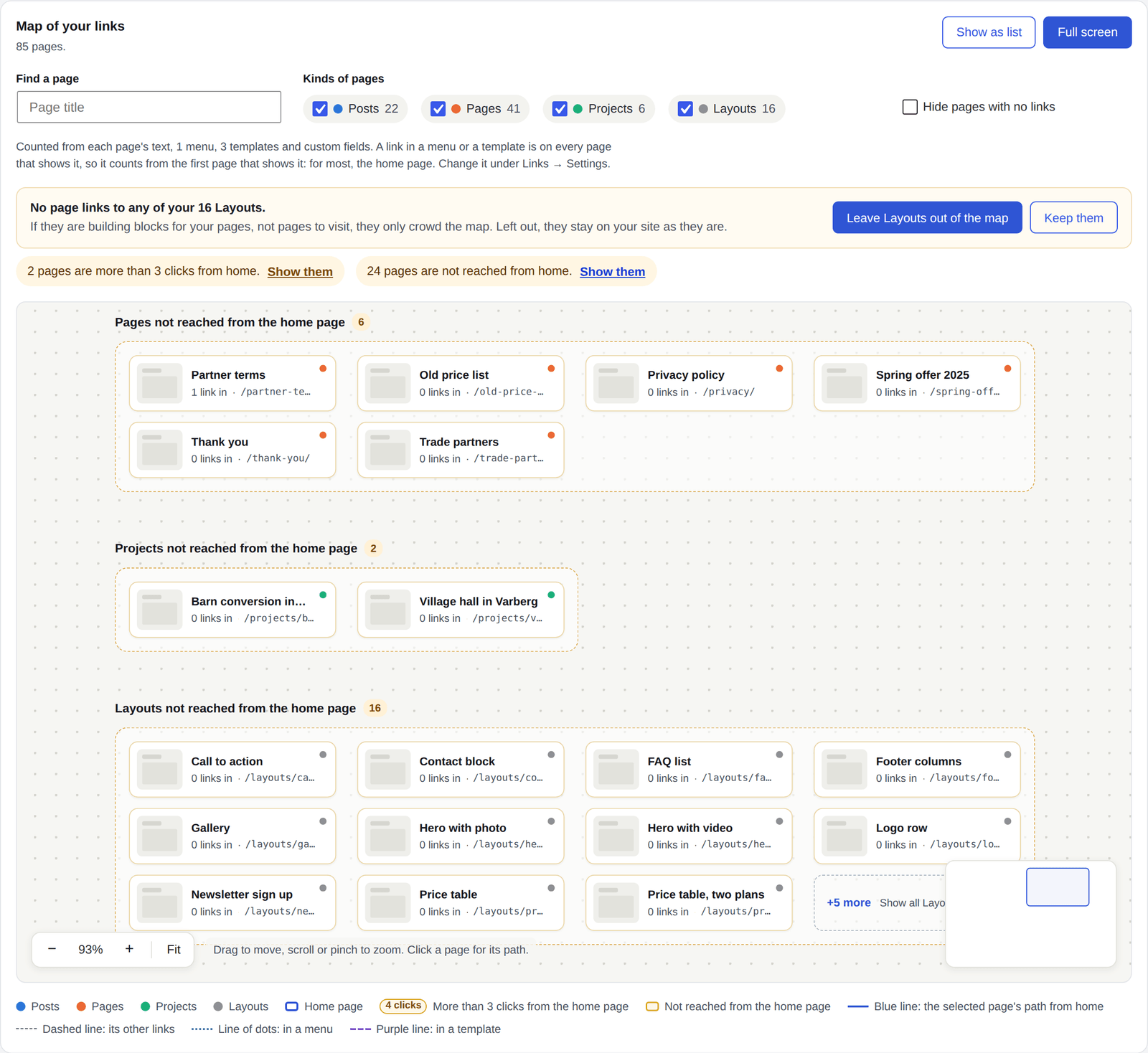
Some kinds of posts are building blocks, not pages to visit: a library of layouts kept as posts, for example. When a kind has 12 pages or more and not one link to any of them, the map asks about it at the top. Posts and pages are never asked about.

- Keep them keeps them on the map and stops the question.
- Leave them out of the map does what unticking them under Pages that are read does. They stay on your site as they are.
Until you answer, the kind is a group like any other not reached from home, folded after 11 pages.
A kind just left out says so, with Undo. While its pages can still be found in search, the map also asks whether to hide them from search engines: that gives each one noindex and takes them out of the sitemap, as Search appearance, Kinds of page does. Not now leaves them findable.
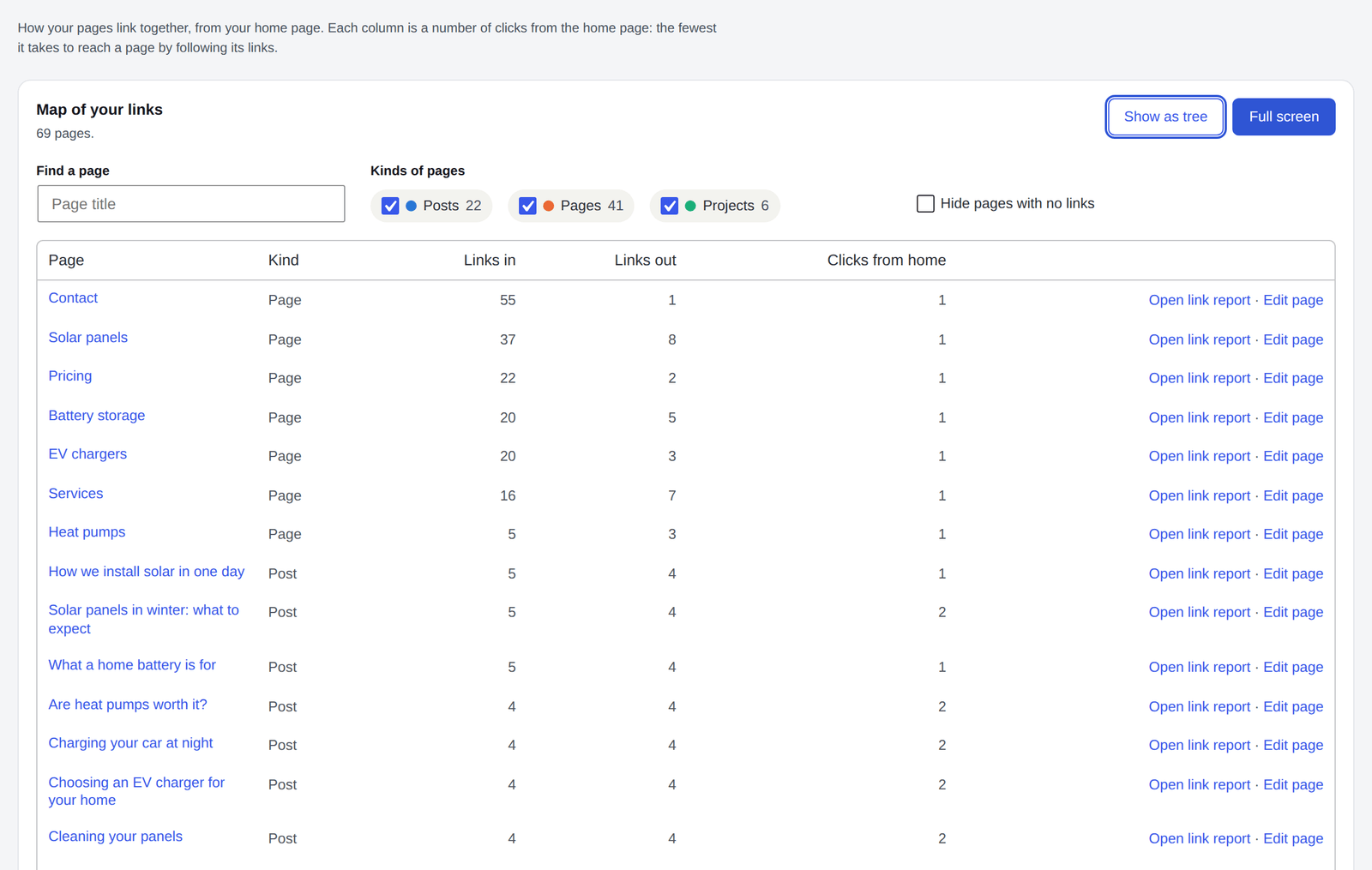
- Find a page by its title.
- Leave Kinds of pages out of the map, or tick Hide pages with no links.
- Show as list has every page in a table with its links in, links out and clicks from home, most linked first, each with Open link report and Edit page.
On a phone, the map is an outline you can fold.
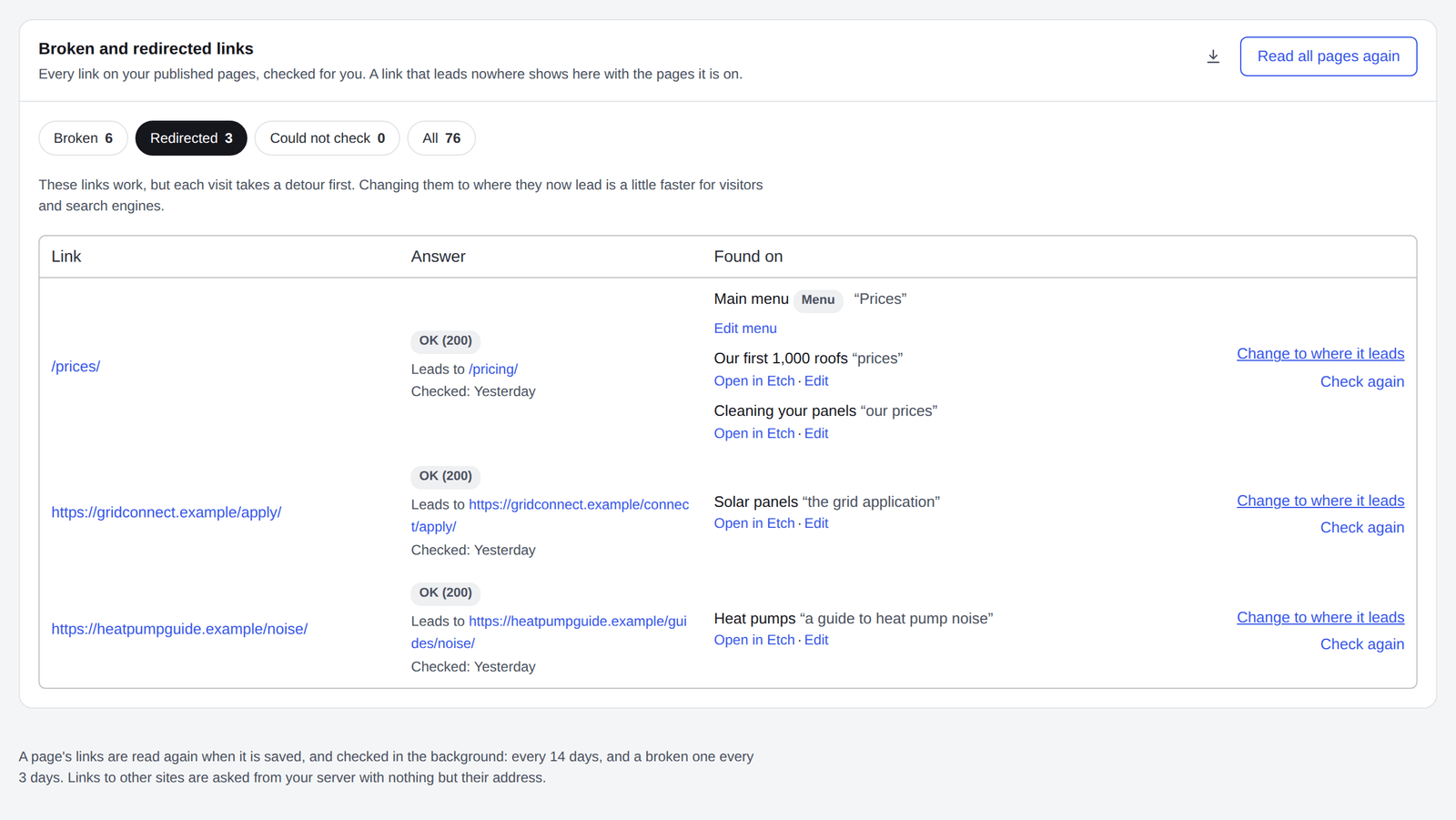
Broken lists every link that leads nowhere (not found, gone, a server error or no answer) with the pages it is on, and the links that go through a redirect and where they now lead.
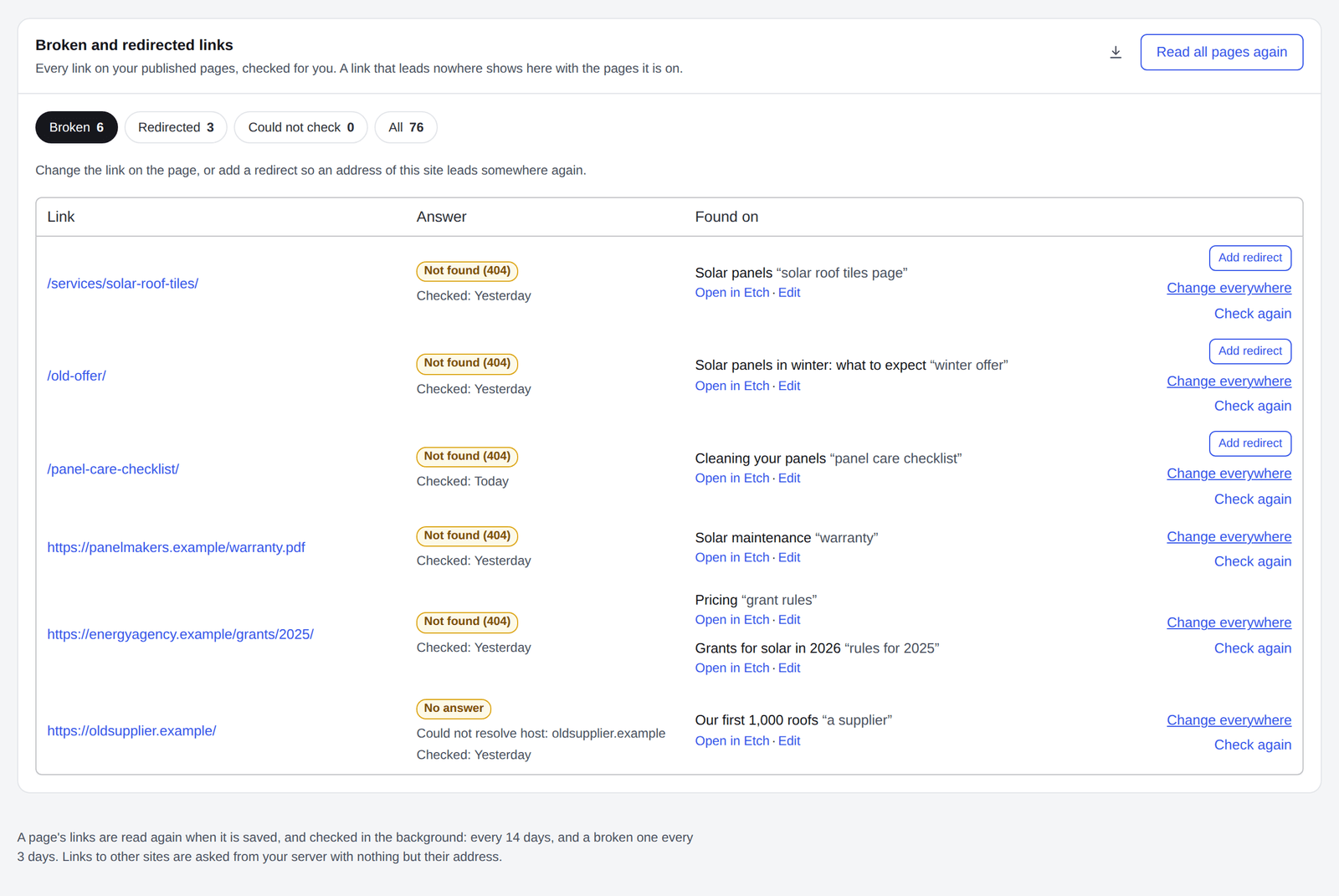
- Open in Etch or Edit opens the page with the link.
- Change everywhere changes the link on every page at once, see below.
- An address of this site that is not found gets Add redirect, so it leads somewhere again.
- Check again asks once more now. The broken and redirected links download as CSV too.
The links in your menus and templates are checked like any other. One there names the menu or template it is in, with Edit menu or Edit template.
Nothing links here shows how many of your own pages link to each page. The pages no other page links to come first: visitors and search engines find them only through search or the sitemap. A page a menu or a template links to is not listed: visitors find it there.
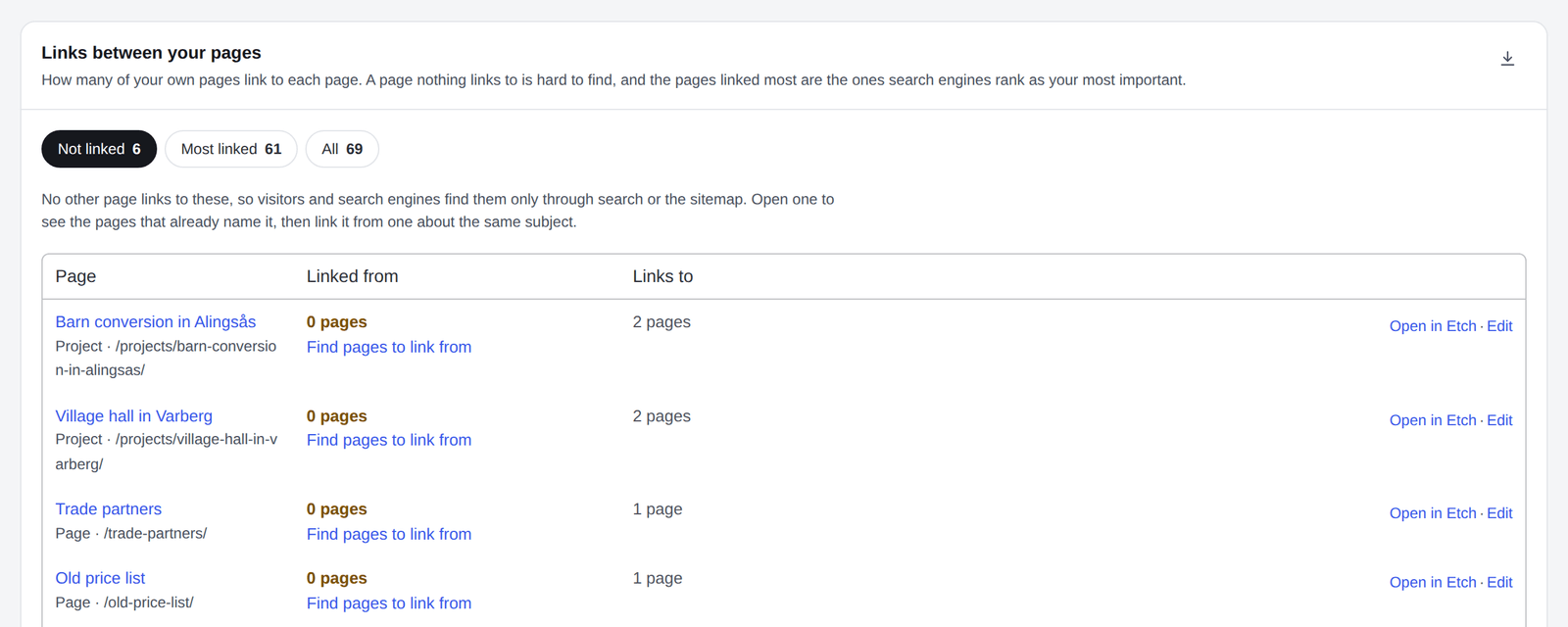
Find pages to link from opens the page's own report, with the pages that already name it without a link. In the builder, the SEO place's Link ideas suggests the same as you write.
A page moved, or a link leads somewhere new? Change an address changes an address in every page, post, draft and component that links to it, and in your menus, at once.
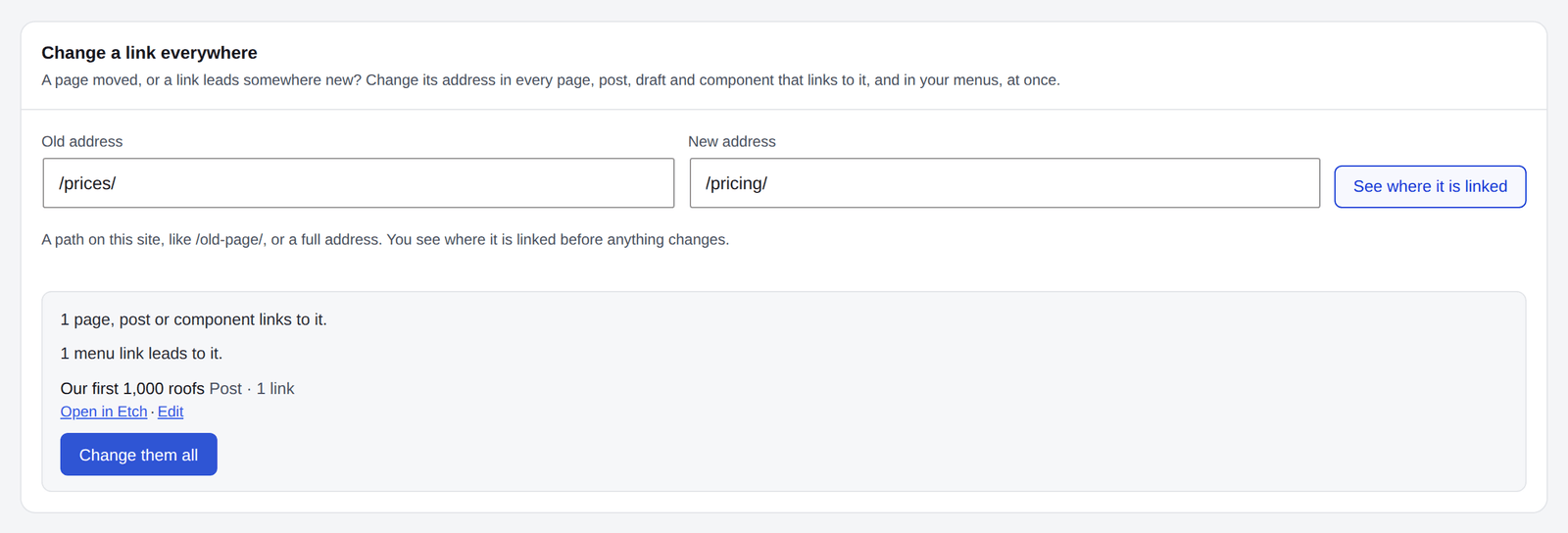
Type the old address and the new one and press See where it is linked. Nothing changes until you press Change them all. Each page's earlier version is kept in its revisions. For an address of your own site, a redirect is offered too.
Settings says where links are counted from, and leaves links out of the checks and the report, handy for affiliate links.
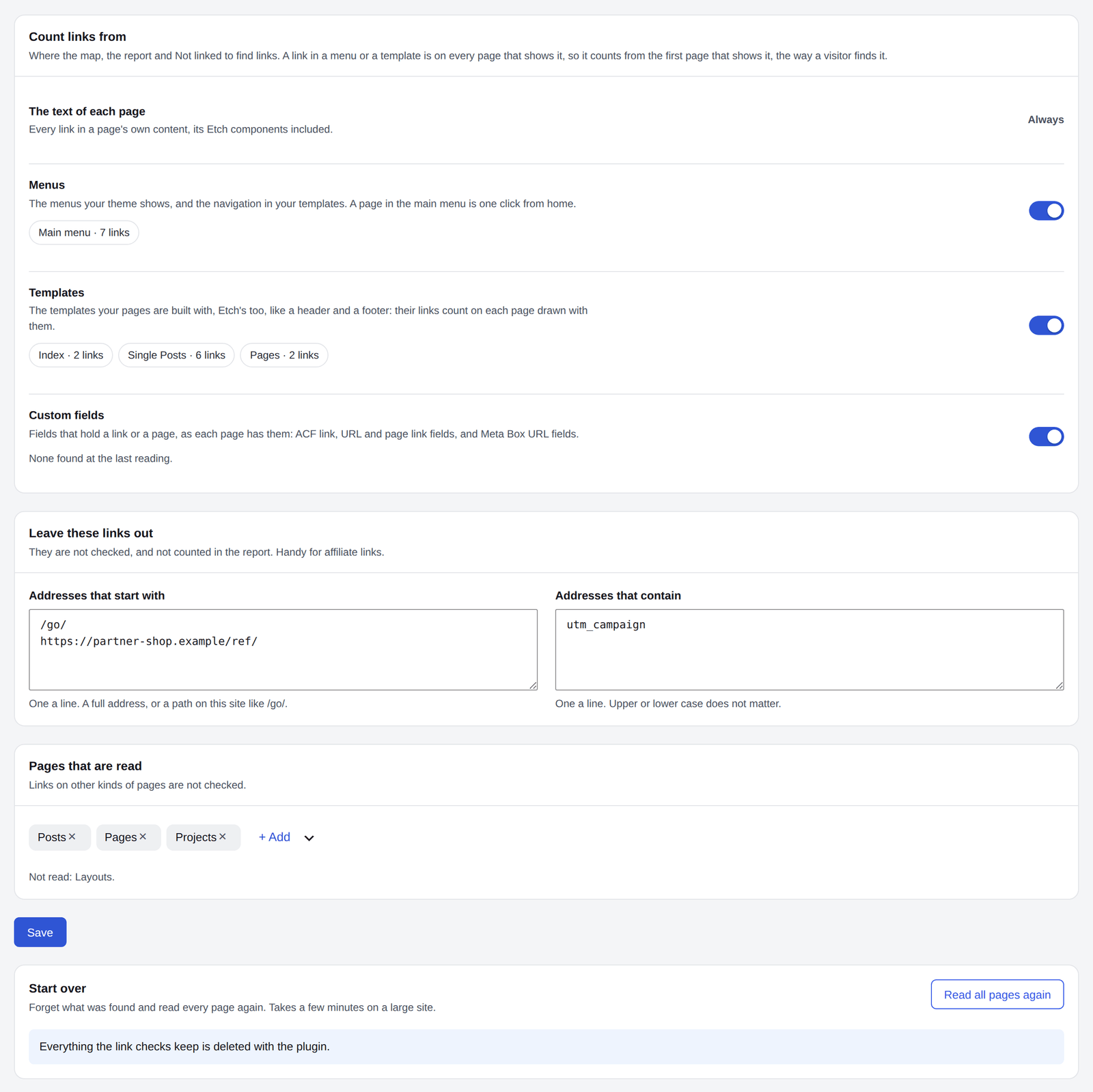
- Count links from: a switch each for Menus, Templates and Custom fields, with what each held at the last reading. The text of each page is always counted.
- Addresses that start with: one a line, a full address or a path on this site like
/go/. - Addresses that contain: one a line, upper or lower case does not matter.
- Pages that are read: links on other kinds of pages are not checked.
Saved, what they leave out is forgotten at once and every page is read again. Read all pages again, under Start over, forgets what was found and reads every page afresh. It takes a few minutes on a large site.
- Switch the link checks off under Parts of SEO if you do not need them. Needs doing then leaves them out of the health score.
- The links counted include the ones Automatic links add.
- A page's link report opens only for a page you may read, never for a private record such as a contact message.
- Everything the link checks keep is deleted with the plugin.