SEO checks while you write
Tell EtchwpKits what someone would search for to find a page, and the page is checked as you write: where the words are, how the text reads, its images and its address. Each check says what to do, in plain words, and there is no score to chase.
The checks live on the Check tab, beside Edit, in the builder panel's SEO place and in the block editor's SEO box. They follow the page as you build it, in any language, and save nothing until the page is saved. In the builder they read the page on the canvas, so they follow changes you have not saved yet.
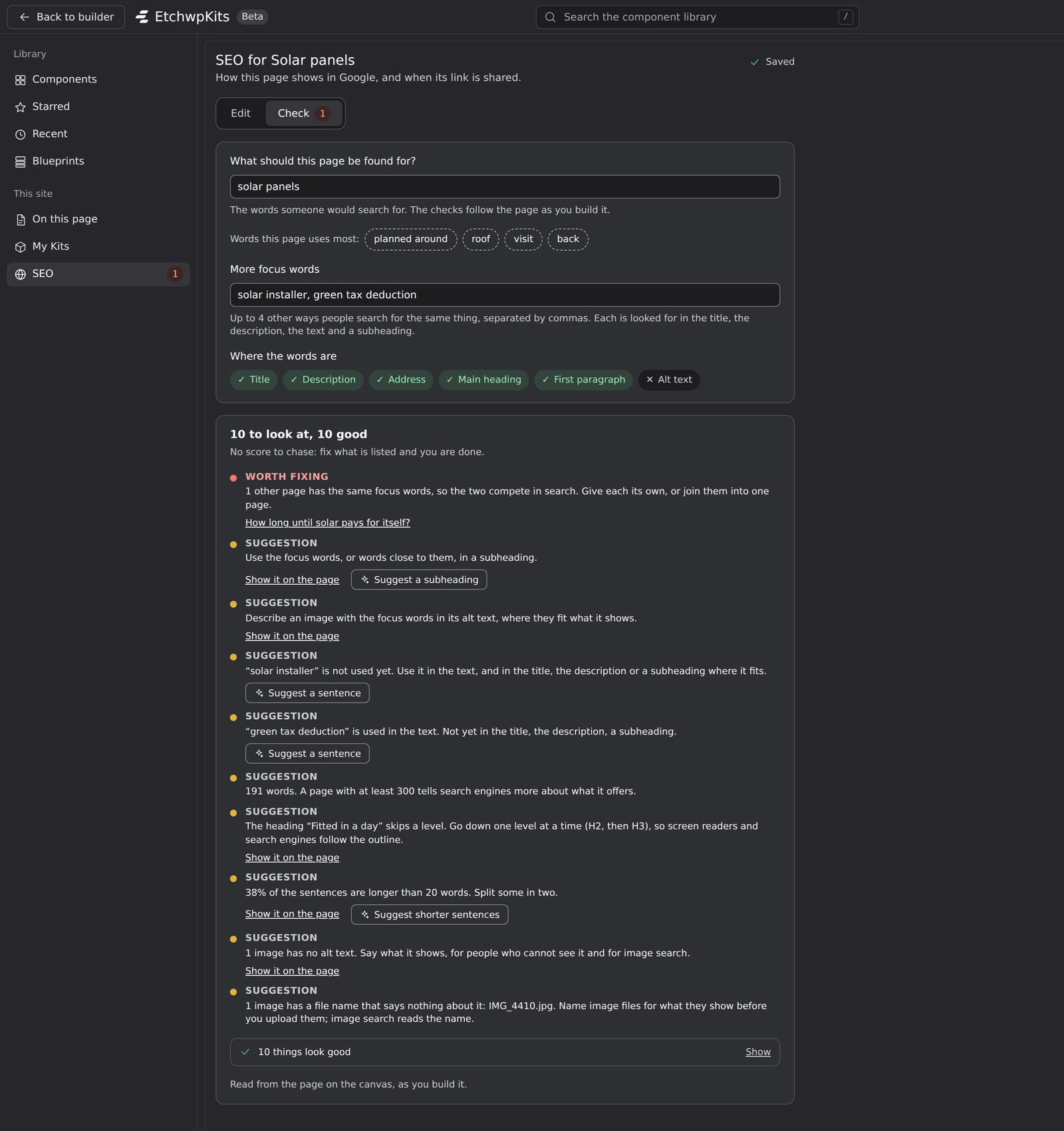
- What should this page be found for?: the focus words, what someone would search for to find this page, like solar panels. Most checks follow them.
- More focus words: up to 4 other ways people search for the same thing, separated by commas, like solar installer, green tax deduction. Each is looked for in the title, the description, the text and a subheading.
- Words this page uses most: the phrases and words the page uses most, worked out from its own text with no search service. Click one: the first fills the focus words, the next go to More focus words.
- Where the words are: a mark for the Title, the Description, the Address, the Main heading, the First paragraph and an image's Alt text, ticked where the focus words are and crossed where they are not.
Another of your pages with the same focus words is named, so two pages do not compete for the same search.
The checks start with what they come to, for example 10 to look at, 10 good, and No score to chase: fix what is listed and you are done.
- The checks to look at come first, the worst first. Each says how much it matters: Worth fixing (red) or Suggestion (yellow).
- The checks that look good wait behind a button at the foot, such as 10 things look good. Show opens them.
- The foot says what was read: the page on the canvas as you build it, or the page as last saved.
| What | What it looks at |
|---|---|
| The focus words | The SEO title, the description, the page's address, the first paragraph, a subheading and an image's alt text; how often they are used (too few, a good amount, or so often it reads as stuffed); each of the more focus words; and whether another page has the same ones. |
| How it reads | The length of the text (300 words or more tells search engines more), one main heading and no skipped heading levels, a subheading at least every few hundred words, long sentences and paragraphs, images without alt text, links to your other pages and to other sites, and for English pages a reading ease score from 0 to 100. |
| Images and address | A featured image, image files larger than 2 MB or wider than 1920 pixels (read from the Media Library), image files named by the camera or a screenshot, and an address longer than 5 words. |
On an Etch page, the checks read the page's own main heading as Etch draws it, so they no longer warn that the page's title is a second main heading.
In the builder, a check about a part of the page has Show it on the page: the paragraph that is too long, the heading that skips a level or the image without alt text is scrolled into view on the canvas and marked for a moment.
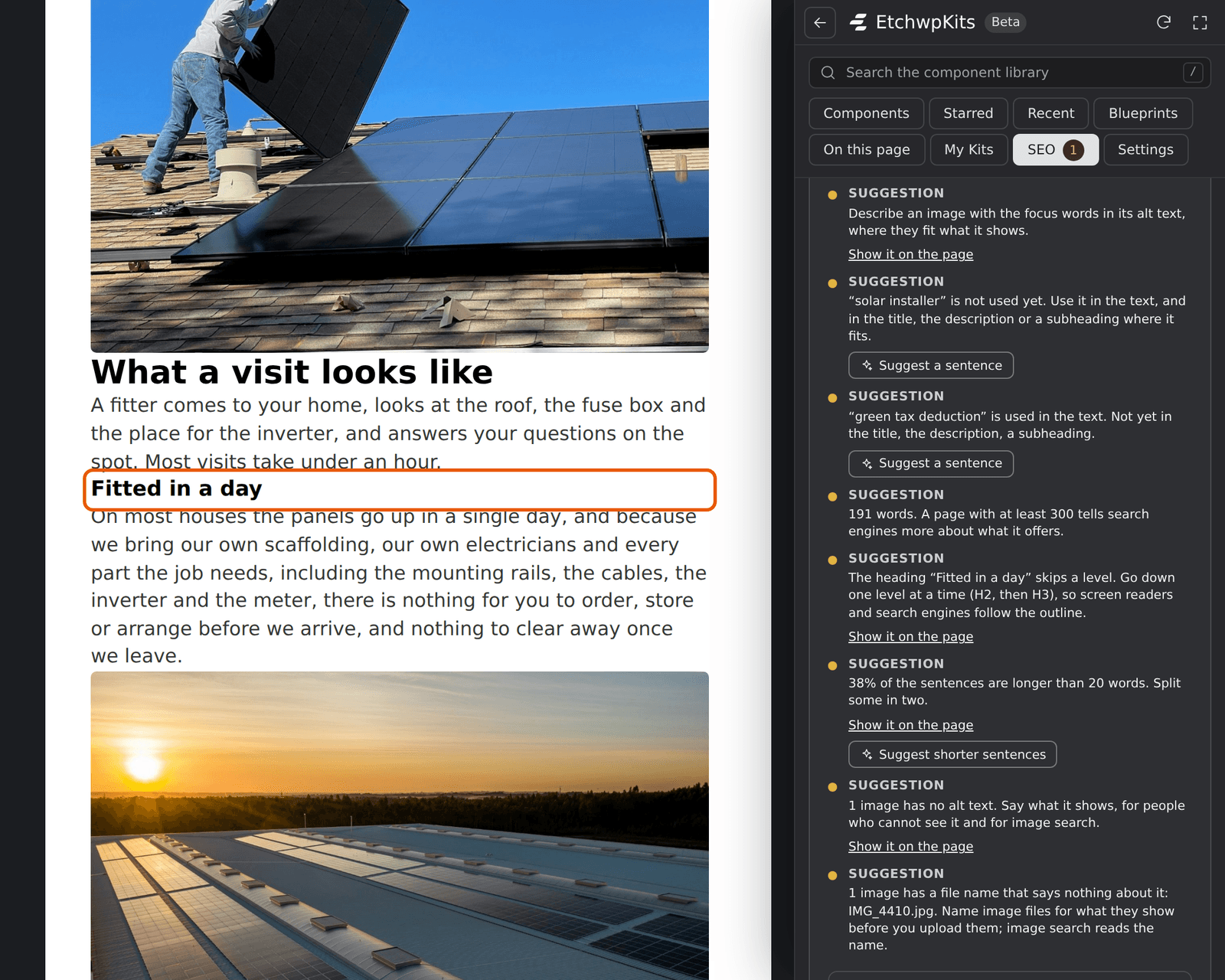
- With more than one, such as three long sentences, each press shows the next, and the button says Show the next one (2 of 3).
- A part that is closed or hidden right now, like a closed accordion, says Not found on the canvas right now.
- Nothing on the page changes. The mark goes again by itself, and the focus stays in the panel.
On the site itself, Show it on the page in the admin bar's SEO menu does the same for a page you are looking at. See SEO in the admin bar.
With an AI service set up, the checks about the focus words in the builder get a button that asks for three ways to fix them, written from the page's own text:
- Suggest a sentence: a first sentence with the focus words, or a sentence that uses them, or one of the more focus words not used yet.
- Suggest a subheading: a subheading with the focus words.
- Suggest shorter sentences: the longest sentence, as shorter ones.
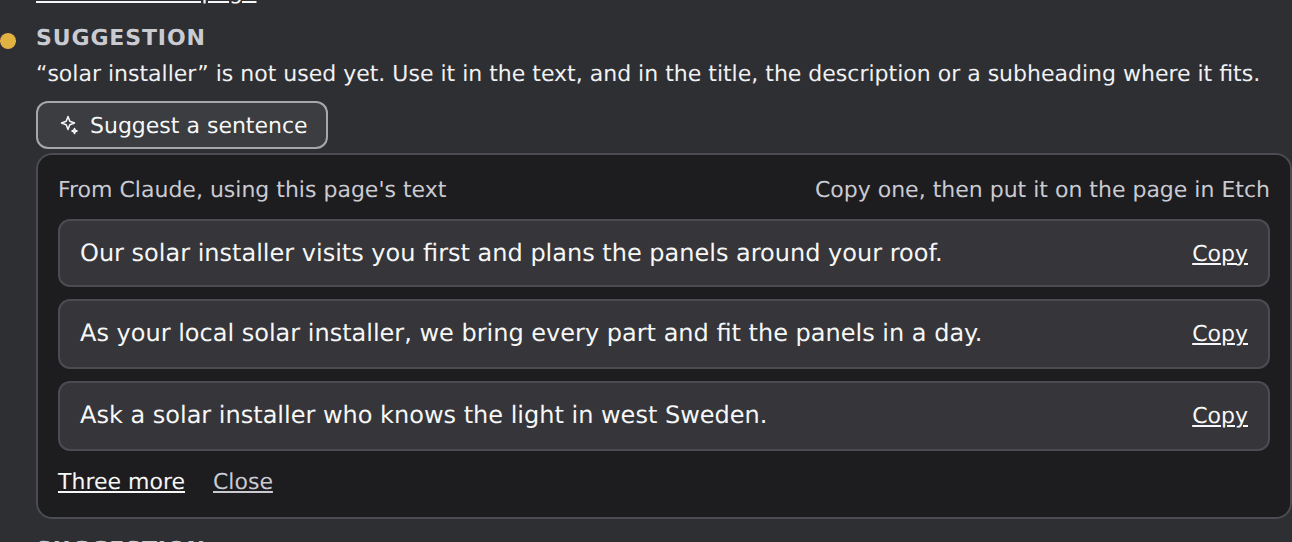
Copy one and put it on the page in Etch, where it fits: nothing on the page changes by itself. Three more asks for others, and Close or Escape closes the list. The suggestions are in the page's language. What is sent to the service is listed under What is sent, and to whom.
A small red number beside SEO in the panel's menu, and on the Check tab, says how many checks of the open page are worth fixing. You see a problem without opening SEO, and it updates as you type, save and change the page. Screen readers hear it with the place's name, for example "SEO, 2 to fix". The SEO box in the block editor shows the same number on its Check tab, and how many to fix and to improve in its header.
No count shows while there is nothing to fix, while the plan is locked, or while another SEO plugin handles SEO. See A page's SEO in the builder.
Which of a page's checks found something is kept with the page when it is saved in the builder or the block editor, so the whole site can be read at once:
- Under SEO → Pages, the Checks column shows each page's result, and the Has things to fix filter lists the pages to work on. See Every page at once.
- The SEO column in WordPress's own Pages and Posts lists says what to look at and why.
- Needs doing lists the pages with things to fix, and they count toward the site's health score. See Needs doing.
A page that changed since its last check, or whose title format or description pattern changed, is checked again as it was last saved. The builder keeps a result only for the page as saved in Etch, never for changes on the canvas that are not saved yet.
- The checks are advice, not rules. A page can rank well with a suggestion left, and they never stop you from saving.
- Show it on the page and Suggest a sentence are in the builder, where the canvas is. The SEO box in the block editor has the same checks without them.
- AI agents connected to the site can read and set a page's focus words, list the pages with checks to fix and say what a page's checks came to. See AI agents.
- Deleting the plugin removes every page's focus words and kept checks with the rest of SEO.